You didn't lose the sale because of your email copy. You lost it because your email never arrived.
Picture this.
You've spent hours crafting the perfect email campaign. The subject line is compelling, the copy feels personal, and your call-to-action is exactly what your audience needs. You click Send, expecting replies, clicks, and conversions.
Instead, your dashboard starts filling up with bounced emails.
Not only is that frustrating, but every bounced email is a missed opportunity to connect with a potential customer. Worse, consistently high bounce rates can damage your sender reputation, making it harder for future emails to reach the inbox-even when they're sent to valid recipients.
Email deliverability isn't just a technical metric anymore; it's a business metric. If your emails don't reach your audience, they can't generate leads, nurture prospects, or drive revenue.
In fact, email remains one of the most profitable marketing channels. According to Litmus, many businesses report earning between $36 and $50 for every $1 spent on email marketing, proving that even small improvements in deliverability can have a significant impact on ROI.
But here's the good news: most email bounces are preventable.
Whether you're running cold outreach campaigns, sending newsletters, or managing transactional emails, a few simple best practices can dramatically reduce your bounce rate and improve inbox placement.
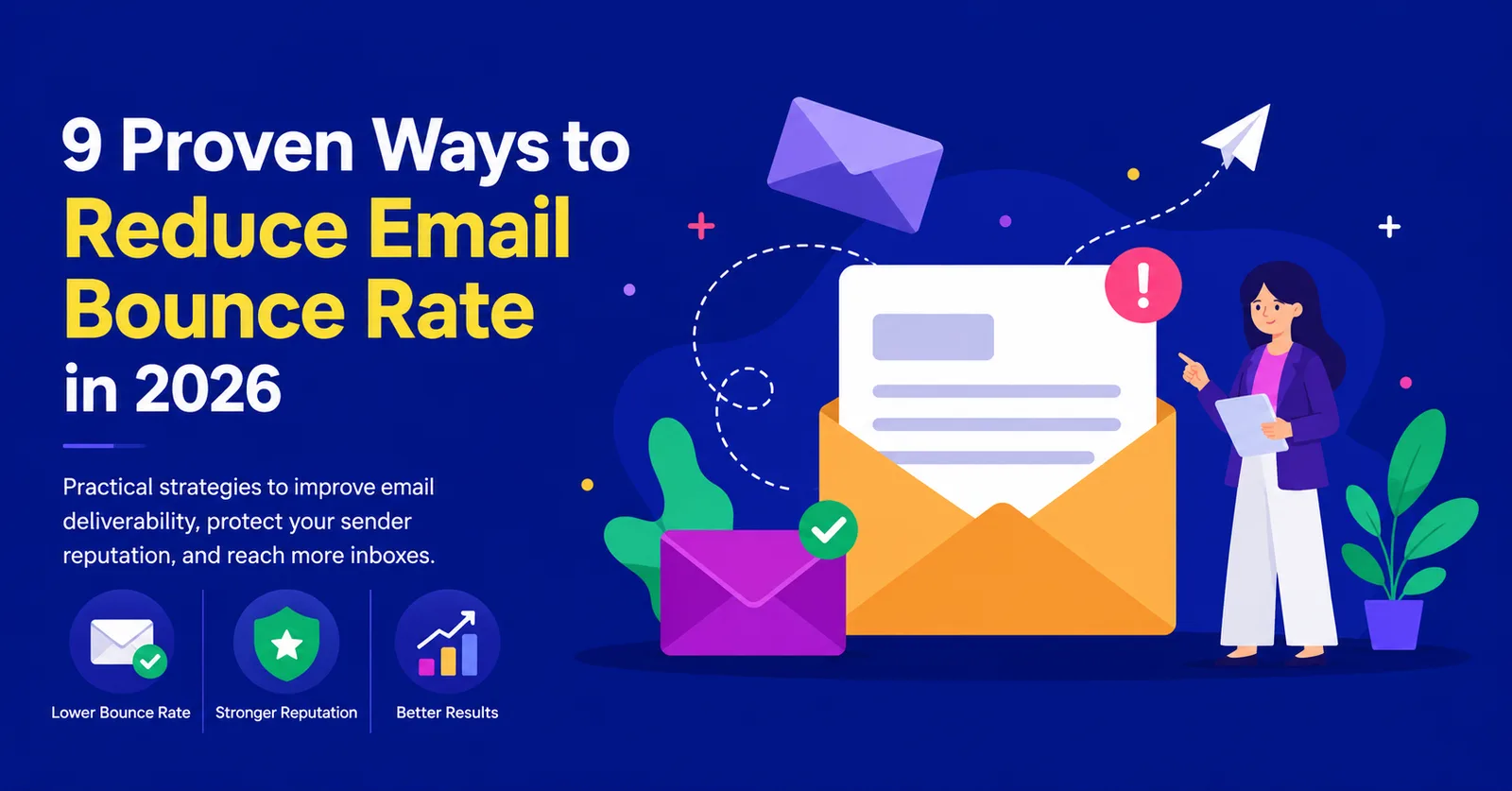
In this guide, we'll explore nine proven strategies to help you reduce email bounce rate, improve email deliverability, and make sure more of your emails land where they belong-the inbox.
What Is an Email Bounce Rate?
An email bounce occurs when an email cannot be delivered to the recipient's mailbox.
Your email bounce rate is the percentage of emails that fail to reach their destination compared to the total number of emails you send.
Formula:
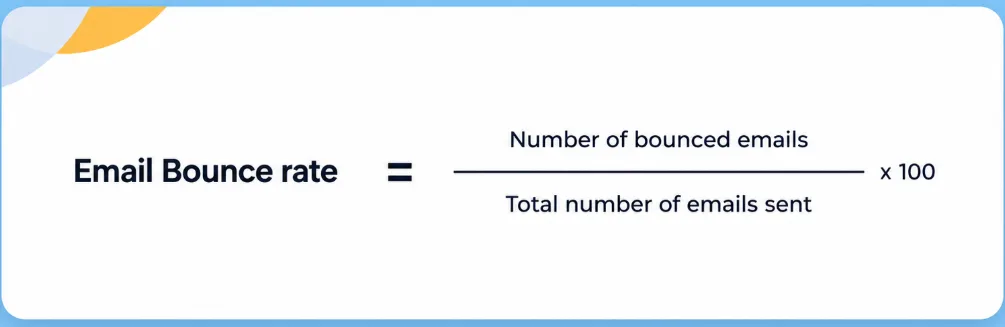
For example:
-
Emails sent: 5,000
-
Emails bounced: 75
Bounce Rate = 1.5%
Most email service providers consider a bounce rate below 2% to be healthy. If your bounce rate consistently exceeds this benchmark, it may signal poor list hygiene, outdated email addresses, or technical issues that can hurt your sender reputation.
Simply put, the lower your bounce rate, the better your chances of reaching your audience's inbox.
Understanding the Two Types of Email Bounces
Not all bounced emails are created equal. Knowing the difference helps you identify the root cause and take the right corrective action.
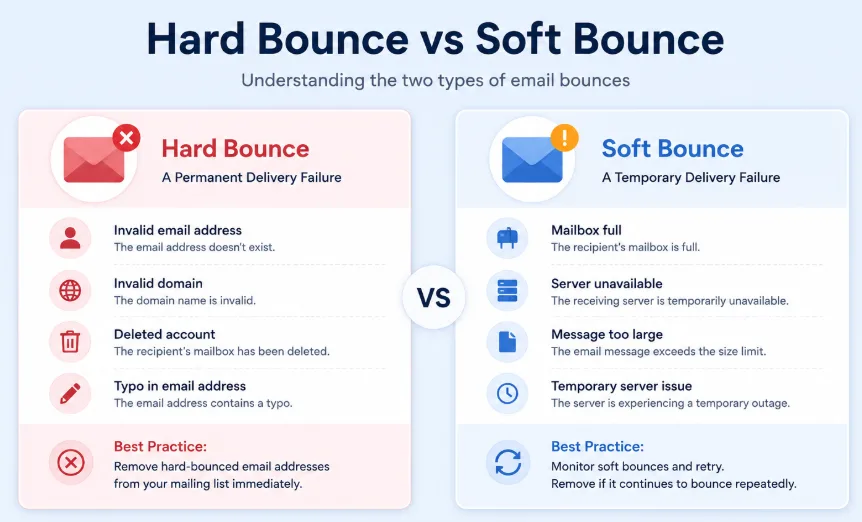
Hard Bounce: A Permanent Delivery Failure
A hard bounce means the email can never be delivered because of a permanent issue.
Common reasons include:
-
The email address doesn't exist.
-
The domain name is invalid.
-
The recipient's mailbox has been deleted.
-
The email address contains a typo.
Hard bounces should never be ignored. Continuing to send emails to these addresses tells mailbox providers that your email list isn't well maintained, which can damage your sender reputation over time.
Best practice: Remove hard-bounced email addresses from your mailing list immediately.
Soft Bounce: A Temporary Delivery Failure
A soft bounce occurs when the email couldn't be delivered due to a temporary issue.
This can happen because:
-
The recipient's mailbox is full.
-
The receiving server is temporarily unavailable.
-
The email message is too large.
-
The server is experiencing a temporary outage.
Unlike hard bounces, soft bounces don't always require immediate removal. Many email platforms automatically retry delivery after some time.
However, if the same address continues to soft bounce repeatedly across multiple campaigns, it's worth reviewing or removing it from your list.
Why Should You Care About Your Email Bounce Rate?
It's easy to think of bounced emails as a minor inconvenience. After all, what's the harm if a few messages don't get delivered?
The reality is far more serious.
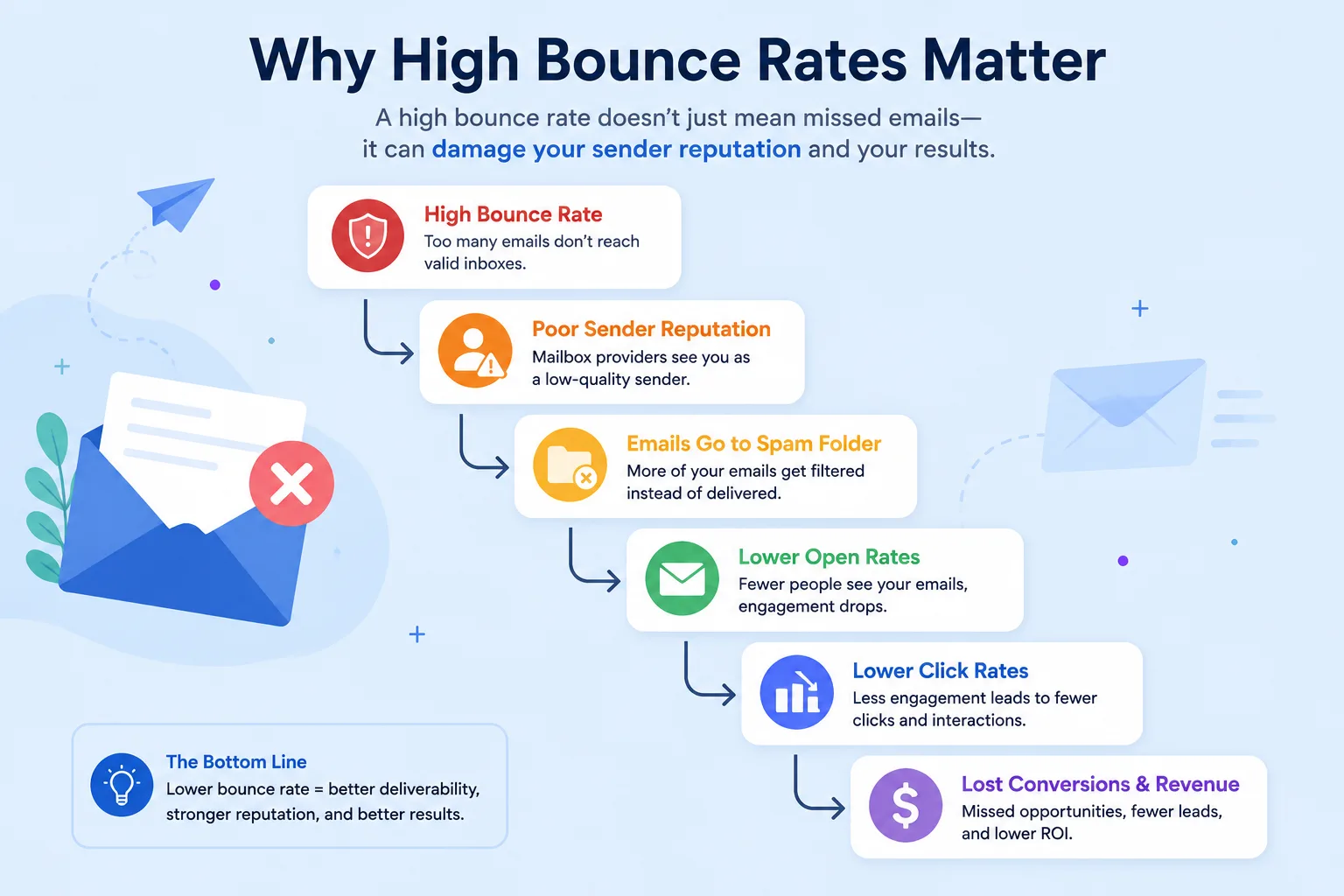
Mailbox providers like Gmail, Outlook, and Yahoo constantly evaluate your sending behavior. When they notice a high number of bounced emails, they may assume you're sending to outdated, purchased, or low-quality email lists.
As a result, they may:
-
Send more of your emails to the spam folder.
-
Lower your sender reputation.
-
Reduce your inbox placement rate.
-
Block future campaigns.
-
Affect the performance of your transactional emails.
In other words, today's bounced email can become tomorrow's lost customer.
9 Proven Ways to Reduce Email Bounce Rate
Now that you understand why email bounce rate matters, let's look at the pract practical steps you can take to reduce it. The following best practices will help you maintain a healthier email list, protect your sender reputation, and improve the chances of your emails reaching the inbox.
1. Verify Email Addresses Before You Hit Send
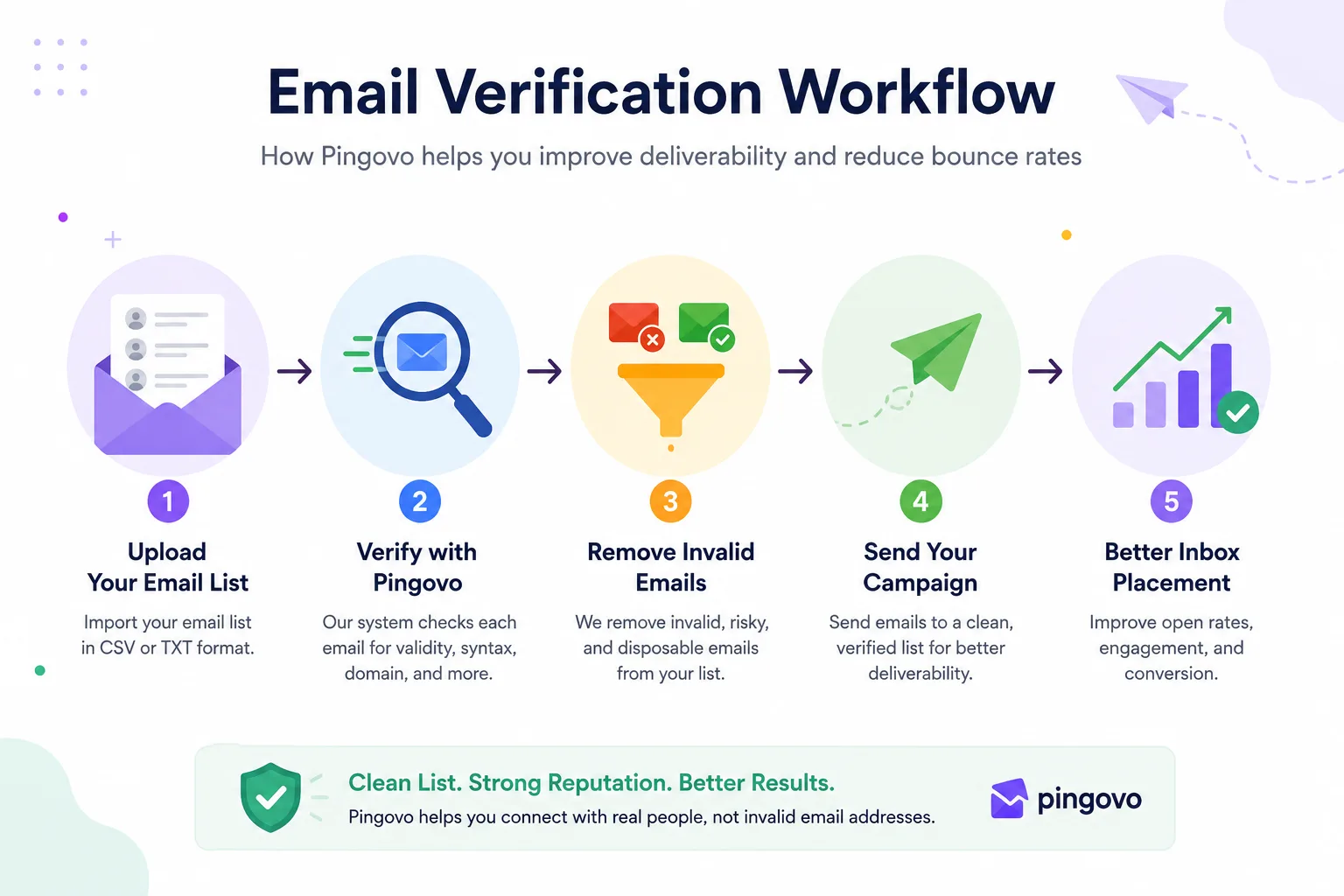
If there's one habit that can dramatically reduce your email bounce rate, it's verifying your email list before every campaign.
Think of email verification as a final quality check before your emails go out.
Instead of discovering invalid addresses after you've sent your campaign, email verification identifies risky contacts in advance, allowing you to remove them before they affect your deliverability.
A good email verification tool checks for issues such as:
-
Invalid email addresses
-
Misspelled domains
-
Disposable email addresses
-
Inactive mailboxes
-
Catch-all domains
-
Syntax errors
This simple step can significantly reduce hard bounces while protecting your sender reputation.
For businesses that rely on email marketing, sales outreach, or transactional emails, regular email verification isn't just a best practice-it's an essential part of maintaining a healthy email program.
Instead of manually reviewing thousands of contacts, tools like Pingovo can verify your email list in minutes, helping you identify invalid, disposable, and risky email addresses before you launch a campaign. The result is fewer bounces, better inbox placement, and a stronger sender reputation.
2. Clean Your Email List Regularly (Because Every Email List Ages)
Imagine collecting business cards at a conference and never updating them again. A year later, many of those people may have switched jobs, changed companies, or stopped using their old email addresses.
The same thing happens with your email list.
People change jobs, abandon inboxes, graduate from universities, or simply stop using certain email accounts. Over time, even a high-quality email list becomes outdated.
That's why regular list cleaning is one of the simplest yet most effective ways to reduce email bounce rate.
According to HubSpot, marketers should routinely remove unengaged and invalid contacts to maintain a healthy sender reputation and improve email performance. A smaller, engaged list almost always outperforms a larger list filled with inactive or invalid contacts.
What should you remove?
Review your email database regularly and remove:
-
Invalid email addresses
-
Duplicate contacts
-
Hard-bounced emails
-
Disposable email addresses
-
Fake sign-ups
-
Subscribers who haven't engaged with your emails for an extended period (based on your re-engagement policy)
Don't think of list cleaning as losing subscribers. Think of it as improving the quality of your audience.
3. Use Double Opt-In to Build a High-Quality Email List
The easiest way to reduce email bounces is to prevent bad email addresses from entering your database in the first place.
That's where double opt-in comes in.
With single opt-in, anyone can enter an email address-even if it's misspelled, fake, or belongs to someone else.
With double opt-in, new subscribers must confirm their email address by clicking a verification link sent to their inbox before they're added to your mailing list.
It's one extra step for subscribers, but it offers significant long-term benefits.
Why double opt-in works
It helps you:
-
Prevent fake sign-ups
-
Catch typing mistakes like gamil.com instead of gmail.com
-
Reduce spam complaints
-
Build a more engaged subscriber base
-
Lower hard bounce rates
You may collect slightly fewer subscribers, but the ones who join are genuinely interested in hearing from you.
And when your list is filled with engaged, verified subscribers, mailbox providers notice. Higher engagement signals-such as opens and clicks-can positively influence your overall email deliverability.
Quality beats quantity every time. A list of 5,000 engaged subscribers is far more valuable than 20,000 contacts who never open your emails.
4. Authenticate Your Sending Domain with SPF, DKIM, and DMARC
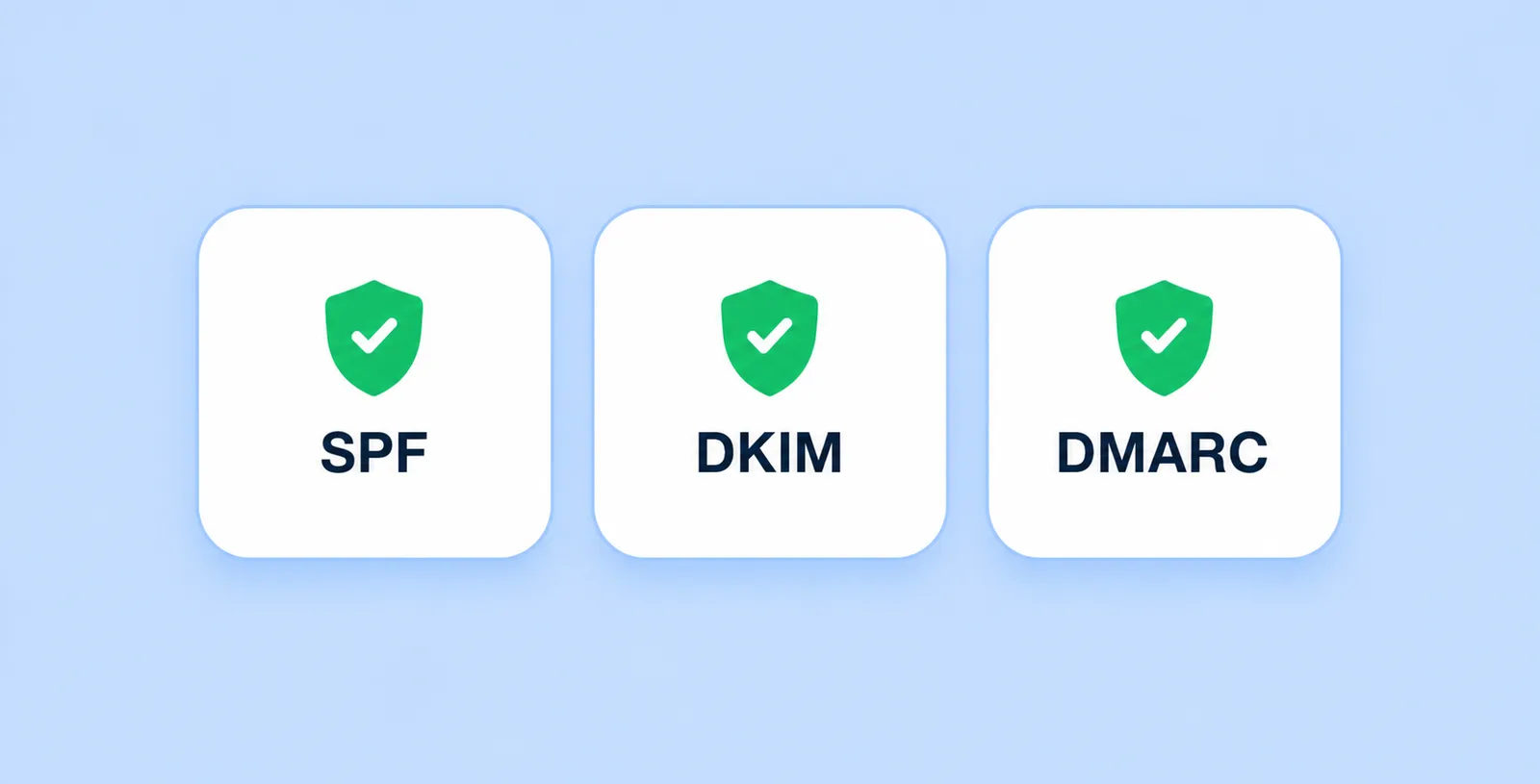
Even if your email list is perfectly clean, mailbox providers still need to know that you are who you claim to be.
This is where email authentication comes in.
Without proper authentication, providers like Gmail and Outlook may treat your emails as suspicious-or reject them altogether.
The three key authentication protocols are:
SPF (Sender Policy Framework)
SPF tells receiving mail servers which servers are authorized to send emails on behalf of your domain.
If someone tries to spoof your domain from an unauthorized server, SPF helps identify that email as suspicious.
DKIM (DomainKeys Identified Mail)
DKIM adds a digital signature to every outgoing email.
This signature allows receiving servers to verify that your email hasn't been altered during transit and genuinely comes from your domain.
DMARC (Domain-based Message Authentication, Reporting, and Conformance)
DMARC builds on SPF and DKIM by telling receiving servers what to do if an email fails authentication.
Depending on your policy, unauthenticated emails can be:
-
Monitored
-
Quarantined
-
Rejected
DMARC also provides reports that help you identify unauthorized senders attempting to use your domain.
Why authentication matters
Proper authentication doesn't directly reduce hard bounces caused by invalid email addresses, but it significantly improves email deliverability by increasing trust with mailbox providers.
In fact, Google and Yahoo's email sender requirements emphasize that bulk senders should authenticate their domains using SPF, DKIM, and DMARC. Meeting these requirements helps improve inbox placement and protects your domain from spoofing and phishing attacks.
If you're investing time and money into email marketing, authentication isn't optional anymore-it's a fundamental best practice.
5. Warm Up New Domains and IP Addresses Gradually
Imagine walking into a networking event where no one knows you. If you immediately start pitching hundreds of people, chances are you'll raise a few eyebrows.
Mailbox providers think the same way.
If you start sending thousands of emails from a brand-new domain or IP address overnight, mailbox providers have no sending history to evaluate your reputation. Without that trust, they may throttle, filter, or even reject your emails.
That's why email warm-up is essential.
Email warm-up is the process of gradually increasing your sending volume over time to build trust with mailbox providers.
A simple domain warm-up plan
Instead of sending 10,000 emails on day one, gradually increase your volume.
For example:
-
Week 1: Send 20-50 emails per day to engaged contacts.
-
Week 2: Increase to 100-200 emails per day.
-
Week 3: Continue increasing based on positive engagement.
-
Week 4: Scale confidently once your domain has established a healthy sending reputation.
The exact numbers will vary depending on your email provider and campaign size, but the principle remains the same: start small and grow consistently.
Best practices for warming up your domain
-
Send to your most engaged subscribers first.
-
Avoid sudden spikes in email volume.
-
Maintain a consistent sending schedule.
-
Monitor bounce rates, spam complaints, and open rates throughout the warm-up period.
Pro Tip: If you're launching outreach from a brand-new domain, warming it up before running large campaigns can significantly improve inbox placement.
6. Remove Hard Bounces Immediately
Not every bounced email deserves a second chance.
As we discussed earlier, a hard bounce indicates a permanent delivery failure. The email address may no longer exist, the domain could be invalid, or the recipient's mailbox may have been deleted.
Continuing to send emails to these addresses does more harm than good.
Every time a hard bounce occurs, mailbox providers receive another signal that your email list may not be well maintained. Over time, this can damage your sender reputation and reduce your overall deliverability.
Create an automatic suppression list
Most modern email service providers allow you to automatically suppress hard-bounced email addresses.
This means that once an address permanently fails, it won't receive future campaigns unless it's manually reviewed and reactivated.
Automating this process helps you:
-
Prevent repeated delivery failures
-
Protect your sender reputation
-
Improve overall campaign performance
-
Save time by eliminating manual list management
7. Never Buy Email Lists
Buying an email list may seem like a shortcut to reaching thousands of potential customers.
In reality, it's one of the fastest ways to damage your email deliverability.
Purchased lists often contain:
-
Outdated email addresses
-
Invalid contacts
-
Spam traps
-
Disposable email addresses
-
People who never gave permission to hear from you
Even if only a small percentage of those contacts are invalid, your bounce rate can rise quickly-along with spam complaints and unsubscribe rates.
More importantly, the people on purchased lists don't know your brand.
That means they're far less likely to open, click, or engage with your emails.
Low engagement combined with high bounce rates sends a strong negative signal to mailbox providers.
Build your list the right way
Instead of buying contacts, focus on attracting subscribers who genuinely want to hear from you.
Some effective methods include:
-
Offering valuable lead magnets
-
Creating educational blog content
-
Hosting webinars or online events
-
Growing your newsletter through website forms
-
Collecting subscribers during product sign-ups
-
Encouraging referrals from existing customers
An organically grown list may take longer to build, but it consistently delivers better engagement, lower bounce rates, and stronger long-term results.
Remember: A list of 2,000 interested subscribers is far more valuable than a purchased list of 20,000 strangers.
8. Monitor Your Sender Reputation Regularly
Think of your sender reputation as your brand's credit score for email..
A strong sender reputation tells providers that you're a trustworthy sender. A poor reputation can result in lower inbox placement, even if your email content is relevant.
What affects your sender reputation?
Several factors influence your reputation, including:
-
Email bounce rate
-
Spam complaint rate
-
Open and click-through rates
-
Unsubscribe rate
-
Sending consistency
-
Domain authentication (SPF, DKIM, and DMARC)
The good news? Most of these factors are within your control.
Keep an eye on these metrics
After every email campaign, review:
-
Bounce Rate: Aim to keep it below 2%.
-
Spam Complaints: The lower, the better.
-
Open Rate: Falling open rates can indicate inbox placement issues.
-
Click-Through Rate: Shows how engaged your audience is.
-
Unsubscribe Rate: A sudden spike may signal irrelevant content or poor targeting.
Monitoring these metrics regularly helps you identify problems before they start affecting future campaigns.
Remember: Email deliverability isn't something you fix once-it's something you continuously maintain.
9. Review Bounce Reports and Optimize Continuously
Every campaign provides valuable information about the health of your email program.
Instead of simply checking opens and clicks, spend time reviewing your bounce reports.
Look for recurring patterns such as:
-
Specific domains generating higher bounce rates
-
Authentication-related failures
-
Invalid lead sources
-
Campaigns with unusual delivery issues
Using these insights to refine your email list and sending practices helps reduce future bounce rates and improves overall campaign performance.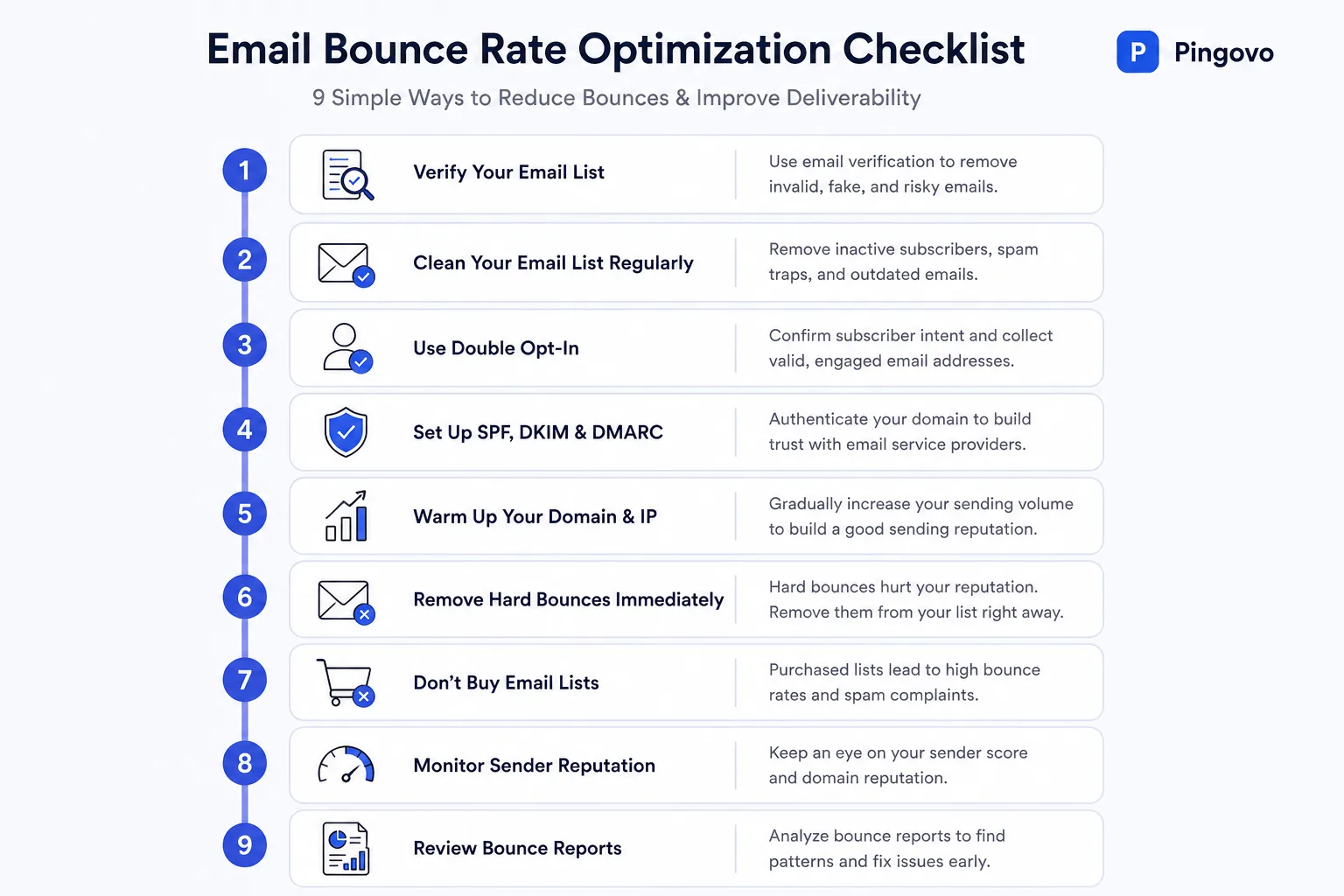
Conclusion
Reducing your email bounce rate isn't about chasing a perfect metric-it's about building better email habits.
By verifying email addresses, maintaining a clean email list, authenticating your domain, warming up new sending domains, and monitoring campaign performance, you'll improve both your sender reputation and your chances of reaching the inbox consistently.
As your email list grows, maintaining its quality becomes just as important as growing its size. Investing a little time in verification and list hygiene today can prevent costly deliverability issues tomorrow.
If you're looking for a simple way to make email verification part of your workflow, Pingovo helps you verify individual email addresses, clean bulk email lists, and integrate real-time verification into your applications using its API. That means fewer hard bounces, healthier email lists, and more confidence every time you click Send.
Frequently Asked Questions (FAQs)
Q.What is a good email bounce rate?
A.A healthy email bounce rate is generally below 2%. If your bounce rate regularly exceeds this benchmark, it may indicate poor list hygiene, outdated contacts, or technical issues affecting deliverability.
Q.What causes a high email bounce rate?
A.Some of the most common causes include:
-
Invalid or fake email addresses
-
Outdated contact lists
-
Purchased email databases
-
Missing email authentication (SPF, DKIM, or DMARC)
-
Sending from a new or poorly warmed-up domain
Q.Does email verification improve email deliverability?
A.Yes. Email verification helps identify invalid, inactive, and risky email addresses before you send a campaign. This reduces hard bounces, protects your sender reputation, and increases the likelihood of your emails reaching the inbox.
Q.How often should I clean my email list?
A.If you send emails regularly, review and clean your email list every few months. It's also a good practice to verify your list before major email campaigns, especially if new contacts have been added.