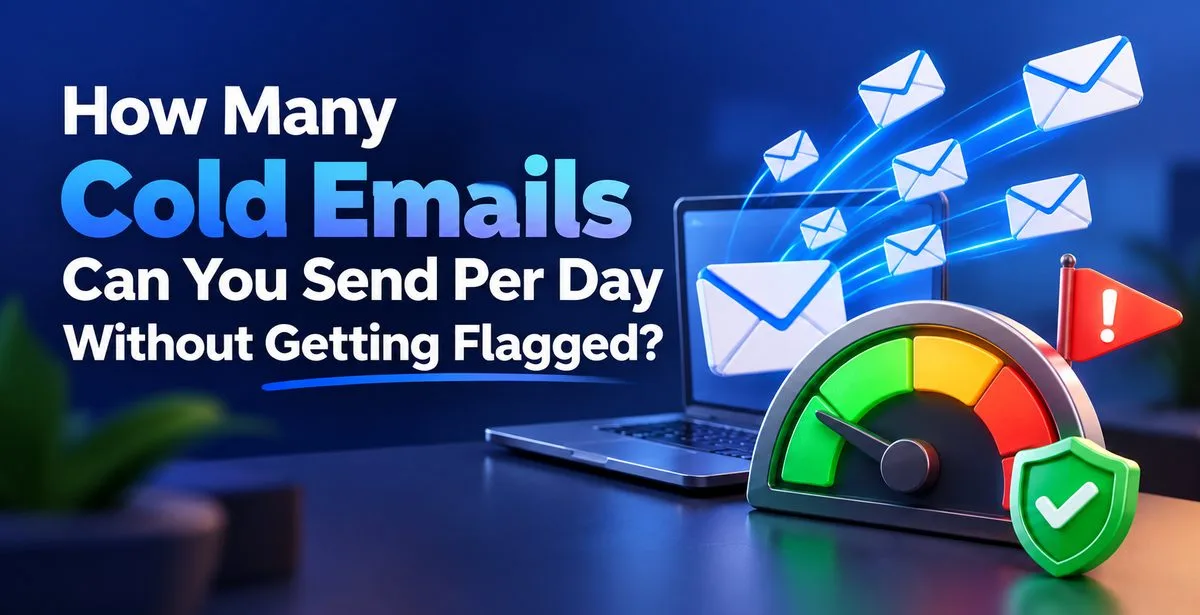
Short answer: from a new email account, stay around 20 to 30 cold emails per day. From a mailbox that has been warmed up properly, 50 to 100 per day is a safe range. Going beyond that from a single mailbox is where most people start seeing spam folders and blocked accounts.
That number is not fixed, though. It depends on how old your mailbox is, which provider you use, and how people react to your emails. Let's go through it step by step.
What is a cold email, and what does "flagged" mean?
A cold email is an email you send to someone who does not know you yet and has not asked to hear from you. A freelancer writing to a possible client or an agency pitching its services are both sending cold emails.
"Getting flagged" means the email provider (Gmail, Outlook, Yahoo and others) decides your mail looks suspicious. After that, one of three things can happen: your emails go to spam, they get delayed or rejected, or your account gets blocked from sending.
You will not see a big warning on screen. Usually you just notice that replies have dropped and you don't know why.
Why do providers keep limits at all?
Millions of spam messages are attempted every day, and many come from fresh accounts that suddenly send hundreds of emails. So providers watch two things: how much you send, and how fast your volume grows.
A mailbox that sends 10 emails a day for six months and then jumps to 400 looks odd. A brand-new mailbox sending 200 on day one looks even worse. The pattern gets noticed, not only the number.
Official limits and safe limits are different
Every provider has a maximum, after which they stop you. But staying under that maximum does not make cold outreach safe.
|
Provider |
Approx. official daily limit |
Comfortable cold email range |
|
Gmail (free) |
About 500 emails |
20 to 50 |
|
Google Workspace |
About 2,000 emails |
50 to 100 |
|
Outlook.com (free) |
About 300 emails |
20 to 40 |
|
Microsoft 365 |
Around 10,000 recipients |
50 to 100 |
|
Own domain / custom SMTP |
Depends on your host |
30 to 100 |
These official numbers are approximate and providers change them from time to time, so check the current rules for your account.
Gmail may allow 500, but sending 200 cold emails from a mailbox nobody has ever replied to is asking for trouble. The official limit tells you when you'll be stopped. It doesn't tell you when you'll be judged.
What actually decides your safe limit
Instead of chasing one magic number, look at these five things.
Mailbox age and history. Providers keep a trust score, called sender reputation, for your email address, domain and IP. A new mailbox has no history, so you begin slowly.
Bounce rate. A bounce happens when an email can't be delivered, usually because the address doesn't exist. Keep bounces under 2%. If 5 out of 100 emails bounce, providers assume you're sending to a list you don't really know.
Spam complaints. When someone clicks "Report spam", it hurts far more than a bounce. Google's guidance for bulk senders is to stay well under 0.1%, which is about 1 complaint in 1,000 emails.
Replies and opens. Real people interacting with your mail is a good signal, and replies are the strongest. If nobody ever responds, trust slowly falls.
Email content. Many links, heavy images, words like "guaranteed" or "act now", and the same copied message sent to hundreds of people all look suspicious. Mail that reads like one person writing to another does better.
What is email warmup?

Warmup means starting a new mailbox at very low volume and raising it slowly, while the mailbox also collects real interactions like opens and replies. This builds the trust score we talked about.
Doing it by hand is slow, since you need many friendly accounts to write to your mailbox and reply back. Tools handle this instead. With the warmup feature in Pingovo, the ramp-up follows a schedule (conservative, moderate or aggressive), and emails move between your mailbox and a seed network of real mailboxes that open them, reply, and rescue them from spam. You can watch a health score go from cold to warm.
There is also a free warmup calculator if you want to see what a schedule looks like for your case.
A simple ramp-up plan for a new mailbox
Treat this as a guide, and adjust it based on your bounce and reply numbers.
|
Time period |
Cold emails per day (per mailbox) |
|
Week 1 |
Warmup only, no cold sending |
|
Week 2 |
5 to 10 |
|
Week 3 |
15 to 25 |
|
Week 4 |
30 to 40 |
|
Week 5 onward |
40 to 60; go higher only if results stay healthy |
It feels slow, but a burned domain can take months to recover. A slow start costs a few weeks. Also, don't switch warmup off once real campaigns begin. Keep it running in the background.
Need to send more? Add mailboxes, not volume
Say your target is 300 emails a day. Sending all 300 from one mailbox is risky. Sending 50 each from six mailboxes is much safer, because every mailbox has its own reputation.
Keep a few things in mind:
- Don't do cold outreach from your main company domain. Use separate secondary domains so your main one stays clean if something goes wrong.
- Each new mailbox needs its own warmup. It doesn't inherit trust from the old one.
- Change the wording a little between mailboxes instead of sending identical text.
Pingovo lets you connect multiple SMTP servers and set daily limits, so the load is spread across mailboxes.
Clean your list before sending anything
Many people buy or scrape a list and hit send. If 12% of those addresses are dead, you cross the safe bounce limit within the first day.
Email verification checks whether an email address is valid without sending a message to the address. It scans the syntax (check if the address is properly written), the MX (check if the domain name can receive emails), SMTP (verify if the mailbox exists), and spam trap (identify disposable, role-based, and catch-all email addresses). Spam traps are addresses that companies use to identify and weed out spammers. Usually, they are dormant until spammers start using them. Once the spam trap is activated, it can damage the sender’s reputation.
Pingovo's email verification does all this for single emails and bulk CSV or Excel files, and marks each address safe, risky or invalid. Remove the last two and your bounce rate stays low from the start. You get 500 free credits to try it.
Sending habits that help

- Add gaps between emails. No human sends 50 emails in 30 seconds. A delay of a few minutes looks natural. Daily limit and delay settings are on Pingovo's Plus and Pro plans.
- Spread sending across the day using the campaign scheduler, rather than one big burst at 9 AM.
- Set up authentication. SPF, DKIM and DMARC are DNS records that prove the mail really comes from you. Pingovo sets up the sending subdomain, DKIM keys and DNS records automatically on your first send.
- Make opting out easy. A line like "If this isn't relevant, just tell me and I won't write again" reduces spam-button clicks.
- Keep it short and personal. Use merge tags (small placeholders that fill in each person's name or company) and ask one simple question.
- Check blacklists. A domain or IP can get listed without you knowing. Pingovo's blacklist monitoring helps you catch it early.
Signs you are sending too much
If you see two or more of these together, cut your volume right away:
- Bounce rate goes above 2%
- Open rate falls suddenly, say from 40% to 10%
- Replies dry up though your message hasn't changed
- Test emails to your own other accounts land in spam
- Your provider warns you or blocks sending for a while
Pause the campaign, halve the daily volume, clean the list again, and let warmup run a week or two before scaling up. Pingovo can also pause a campaign automatically when bounces spike.
Frequently asked questions
How many cold emails can I send per day from Gmail?
Gmail allows about 500 a day on free accounts and 2,000 on Google Workspace. For cold outreach, stay at 20 to 50 from a free account and up to 100 from a well-warmed Workspace mailbox.
Is it safe to send 100 cold emails a day?
Yes, if the mailbox is already warmed up, the list is verified, and bounce and reply numbers are healthy. For a new mailbox, 100 is too much.
How long should I warm up before cold emailing?
Two to four weeks suits most new mailboxes. Older, active ones may need less.
What is a good bounce rate for cold email?
Under 2% is the safe zone, and under 1% is better.
Does cold email break any law?
Rules differ by country. Even in India you should respect privacy and opt-out requests, while the EU (GDPR) and US (CAN-SPAM) have stricter rules. This is general information, not legal advice.
Final thoughts
No single number works for everyone. Start small, warm up the mailbox, clean your list, spread volume across mailboxes, and check bounce and reply numbers every week. If they stay healthy, go up slowly.
To do all this in one place, try Pingovo free. Verification, warmup and campaign sending sit together, so you don't juggle three tools for one safe email.