A new client of mine recently sent out 4,000 cold emails from a new domain he registered 2 weeks prior to the send date. I had cleaned up the list for him beforehand and used my email verifier on every single address in the list and the resulting bounce rate was less than 2%. However, the resulting open rate for the emails that did get opened was a meager 6% and roughly half of those were routed to the recipient's spam folder.
"What I told you was that the list had been verified. It did. This is a totally different problem."
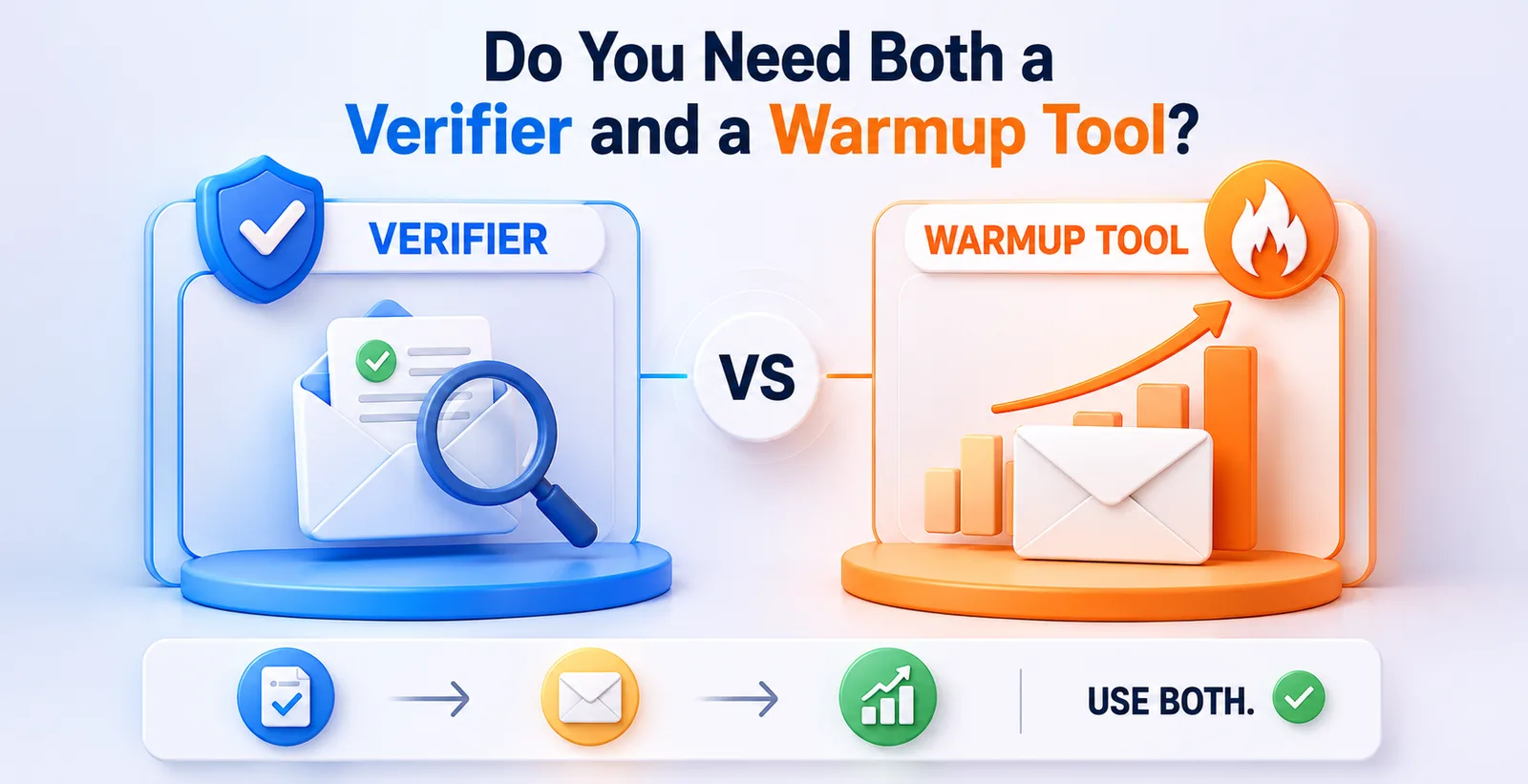
This is the exact mix-up that trips up most people running cold outreach, and honestly, most SaaS pricing pages don't help, because verifier tools and warmup tools get marketed almost like they solve the same headache. They don't. One checks your list. The other builds trust for your domain. And whether you need one, the other, or both depends entirely on where you're starting from.
What a verifier is actually doing
In the context of email list cleaning for cold email outreach, an email verifier is used to verify email addresses in a list. Typically, this would be services like NeverBounce, ZeroBounce, or Bouncer. For example, it would catch email addresses with typos, deceased people, catch-all emails, role account emails (info@, support@, etc).
I looked at a list I had previously cleaned for a recruiting firm last year. That list had 8,200 leads that were scraped from a data provider. 640 of those leads would have bounced, had we sent the email blind. A 5%+ bounce rate will get a sending domain flagged for spam by most of the large sending services (Gmail, Outlook, etc.). So, for our client’s campaign, it was very important to us to clean up the 640 addresses that would have bounced.
But a verifier tool doesn’t know anything about your domain’s reputation (is it new? was it silent for the past 6 months? Are you sending 10 times more email than you used to?). It only verifies the list, it doesn’t verify the sender.
What a warmup tool is actually doing
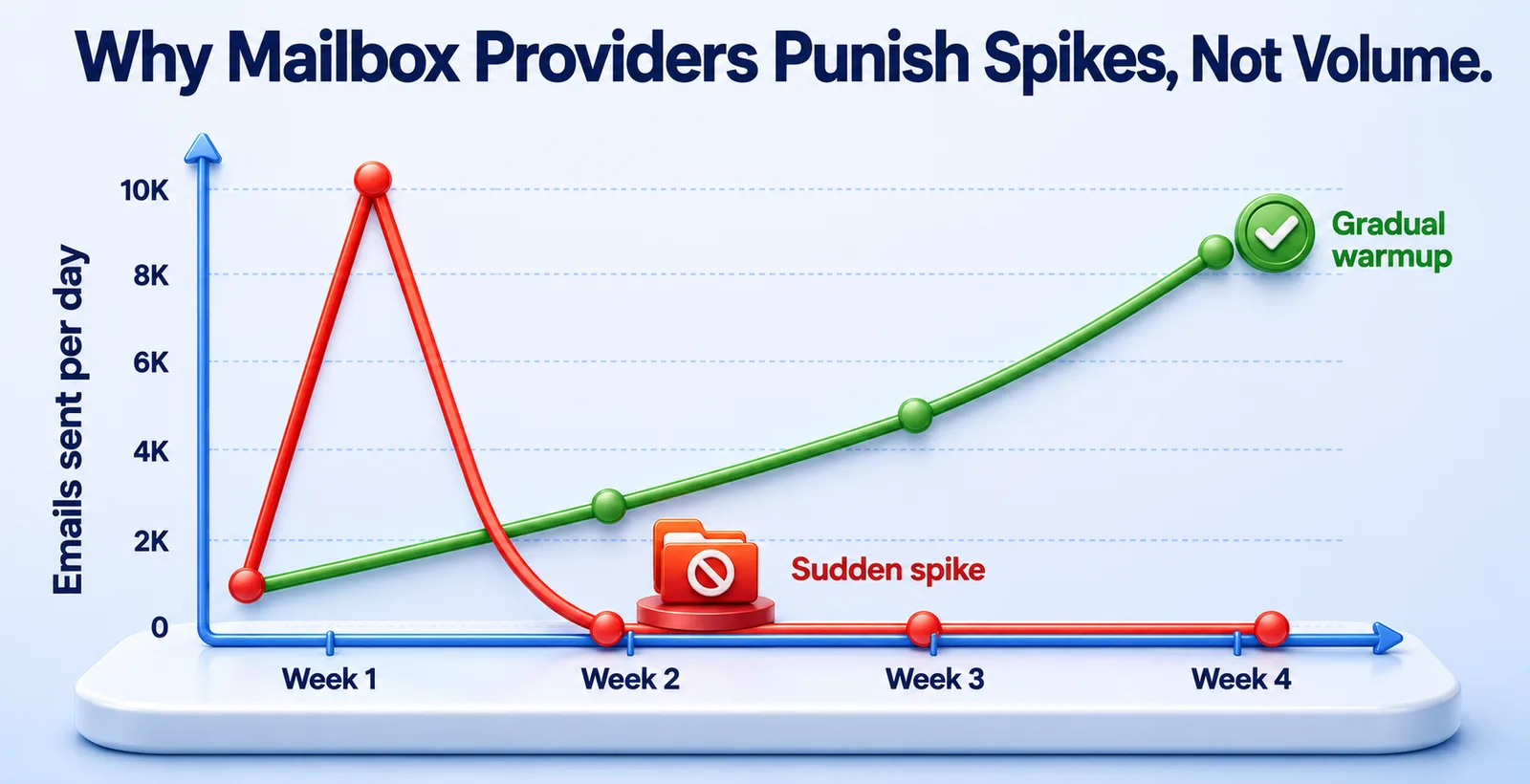
A warmup tool (Instantly's warmup feature, Warmup Inbox, Mailwarm, etc.) does something completely different. It sends a small number of emails between real accounts and gets them opened, replied to, or pulled out of the spam filter. As a result, mailbox providers start trusting the domain and IP address of the sender in a gradual and natural manner.
The logic behind warmup tools is actually quite simple. Gmail and Outlook monitor changes in a sender’s behavior, and in order to prevent a brand-new domain from sending 200 emails in one day to what appears to be real interested contacts and risk being flagged as spam, warmup tools send and receive emails in small batches of 10-20 emails per day, often over the course of 2-4 weeks. As emails are opened and responded to, the sender’s domain and IP address reputation begins to warm up and by the time the actual campaign launches, everything is set to go smoothly.
My client thought he had a good list. He found out he didn’t have a good domain. No amount of list cleaning was going to fix that problem.
Why people assume it's one or the other
I am making this distinction because this is how the respective services are marketed. The Verifier providers also talk about deliverability, the Warmup providers talk about deliverability. Same word, different problem. It is similar to a car dealer saying he can fix your driving experience and a mechanic saying the same. One is selling you a car, the other is fine-tuning the engine of a car you already have. You might only need one of them.
So instead of treating this as a checklist item - "verify list, check box" - it helps to actually look at your specific situation.
When a verifier alone is enough
A Verifier is sufficient for sending from a domain with a proven email sending history. This means if you’ve been consistently sending emails to highly engaged recipients for months and you have a low bounce rate (i.e. less than 2%), you’ll be fine to send again with just another round of list verification just before you send the new campaign.
This situation applies to a lot of newsletter senders and established B2B teams who send to their own opt-in list of contacts. In their case, the biggest problem to solve is keeping the list clean and preventing it from becoming spoiled by campaigns with a high number of dead addresses. As long as the list is clean, the domain’s good sender reputation will not be harmed.
When a warmup tool alone is enough
You might not need to verify lists of people who already know you, eg: your customers, past conference attendees, warm referrals introduced to you by other contacts. However, it’s usually a good idea to run a warmup period on a new domain or subdomain (even one you’ve had before) to get the domain warmed up as quickly as possible for your first campaign.I've seen agenhycies skip verification entirely on referral lists under 500 contacts because the risk of bad addresses was genuinely low, but they still ran a two-week warmup on a fresh subdomain before touching that list, purely to protect sender reputation.
When you need both
Cold outreach on a new domain to a purchased or scraped list is the type of sending that can cause a lot of harm if you don't set up the necessary safeguards. And, for better or for worse, most of the SaaS founders, most of the agencies, and most of the people reading this article fall into this category.
The reason we want to verify our lists and perform a warmup is to avoid two different problems that can cause huge amounts of damage very quickly. The verifier will help to catch bad addresses before you send to them and cause a lot of bounces to hit your account and damage your reputation.
We have another client who was in a similar scenario, this time a two person startup who had been dormant for 8 months and was looking to get back into outreach. Their list was newly verified at 98% clean and we deemed it safe to send right away. But we failed to consider the Domain’s history and soon deliverability began to tank in about 4 days of emailing. After some review we determined that Gmail was treating the Domain (which had been dormant for 8 months) similar to a brand new Domain and was failing emails due to recent sending behavior. In order to recover from this point we had to pause the campaign, run a 3 week warmup on the new subdomain, and then slowly begin to send email again.
A rough way to decide, without overthinking it
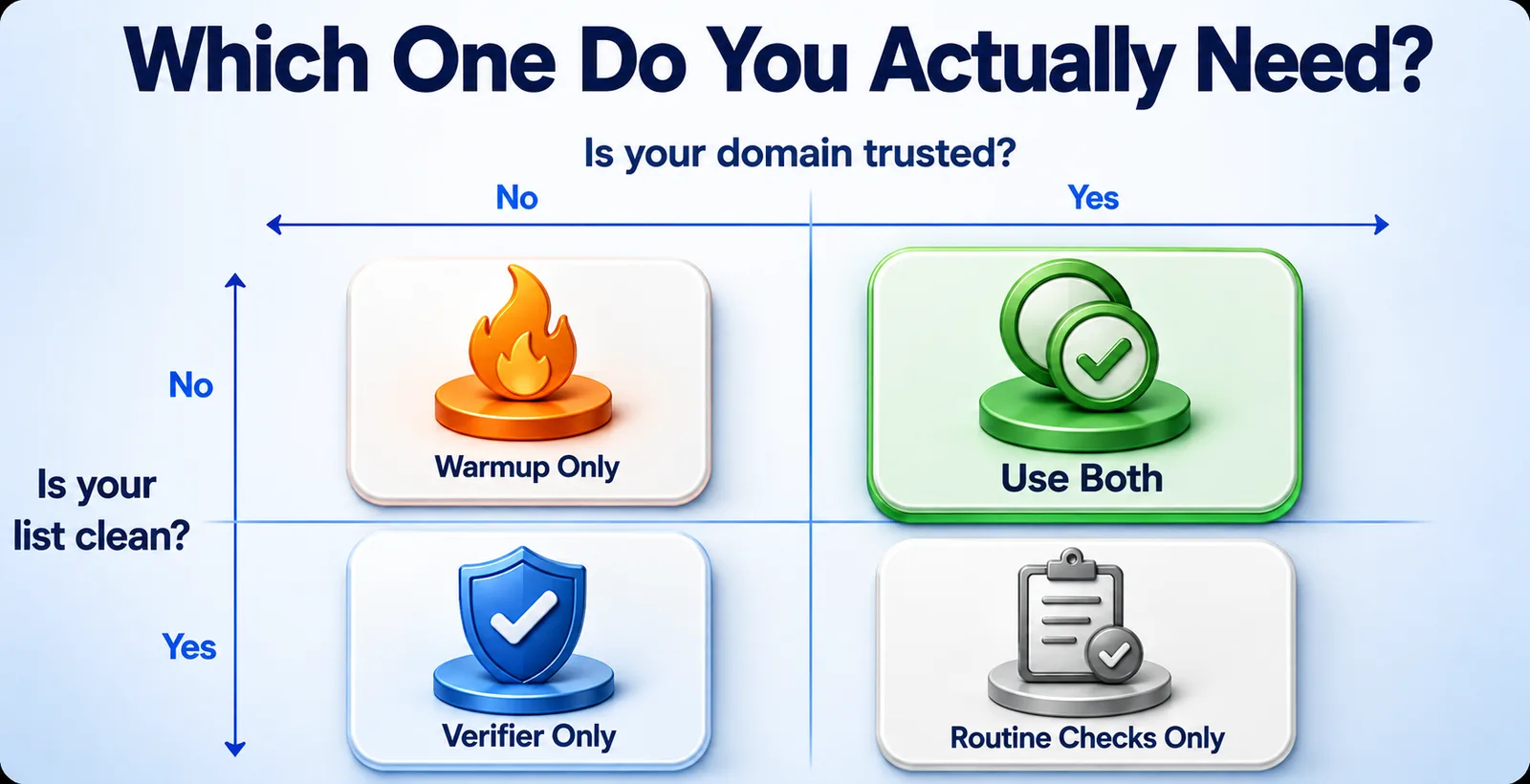
Ask two separate questions, not one combined question:
Is my list actually clean? Was this list scraped off the web, purchased or has it been sitting in a database for over 6 months? If so, verify it. Even a small warm list of recipients you have personally added to a list over the past few weeks can probably be spot-checked instead of going through the expense of a full verification.
Is your domain trusted? If you are using a new domain, have recently changed to a new ESP (email service provider), are sending from a new IP address, or have been dormant for over a month, start a warm up prior to sending out large volumes of email. Once you have started to send consistently with good engagement metrics, you no longer need to continue to perform a warm up, but you do need to slowly ramp up the volume of email that you are sending to prevent spikes in delivery problems.
Most people only verify one of these factors and then assume the answer to that one question will also answer the other question and thus cover for poor deliverability. The two factors to verify are unrelated to each other and will surface as the same problem of poor deliverability only because that is the end result of each verification failing.
The questions clients ask me right after this exact conversation
Do warmup tools replace email verification?
No, that’s exactly why my client’s campaign was marked as spam. A warmup tool only gives mailbox providers information that their domain has been around before and can be trusted. It has nothing to do with catching typos or invalid addresses or role accounts like info@, which may still be on your list.
How long should warmup run before a cold campaign?
Two to four weeks covers most new domains sending less than 50 a day once they launch in earnest. A larger campaign launch, 200+ a day from day one require up to 5 or 6 weeks of gradual buildup. The ramp-up should be designed based on the long-term projections, not an arbitrary deadline.
Is verifying enough for a domain that's been inactive for months?
Not alone, but there is no guarantee. I've seen a perfectly, 98% clean list die and fail in four days because the domain hadn't sent out any emails in 8 months. Mailbox providers give more weight to recent sending behavior than the quality of the list, so you need to let it warm that back up before sending another round.
Can I skip both if my domain and list are already established?
Yes, but only in that specific context of consistent sending history, low bounce rate, no recent changes to your ESP, IP or domain. What you can't do is skip the regular hygiene check before each send, and the slower warm up period if there's a sudden increase in volume on a previously established domain.
None of this is rocket science if you separate the two issues in your head. The list is one issue. The domain is a separate issue. Fix the one that is actually broken and don't pay for a tool that is solving an issue you don't have.
If you'd rather not juggle two separate subscriptions for two separate problems, that's exactly the gap we built Pingovo to close - it verifies your list and warms up your inbox from the same dashboard, so you're not stitching two tools together for something that should work as one.