Every email list is dying a little every single day. Not dramatically, not all at once - just a slow, steady leak that most businesses never notice until their open rate drops from 25% to 12% and nobody in the team can explain why.
This leak has a name: email list decay. And if you are running any sort of email marketing, it is happening in your list, whether you check for it or not. It does not matter if you are a coaching institute in Kota sending reminders about the fee payment or a d2c brand in Bangalore doing a festive sale.
What exactly is email list decay?
Email list decay simply means that a portion of your subscriber list ceases to be useful over time. The email addresses are no longer valid, though they are still on your spreadsheet. People are leaving their jobs and their office email id (the one they signed up with for your newsletter) gets deactivated by the IT person the day they leave. They deleted the Yahoo account they haven't used since 2019. The college student graduates and has no access to their institute email anymore. They grew tired of your emails and just stopped reading every single one (even though they never actually unsubscribed).
None of these people unsubscribed. The size of your list remains the same. The value of your list, the percentage of people on it who will actually open your emails, click the links, and buy your products, is constantly decreasing, though, below the surface.
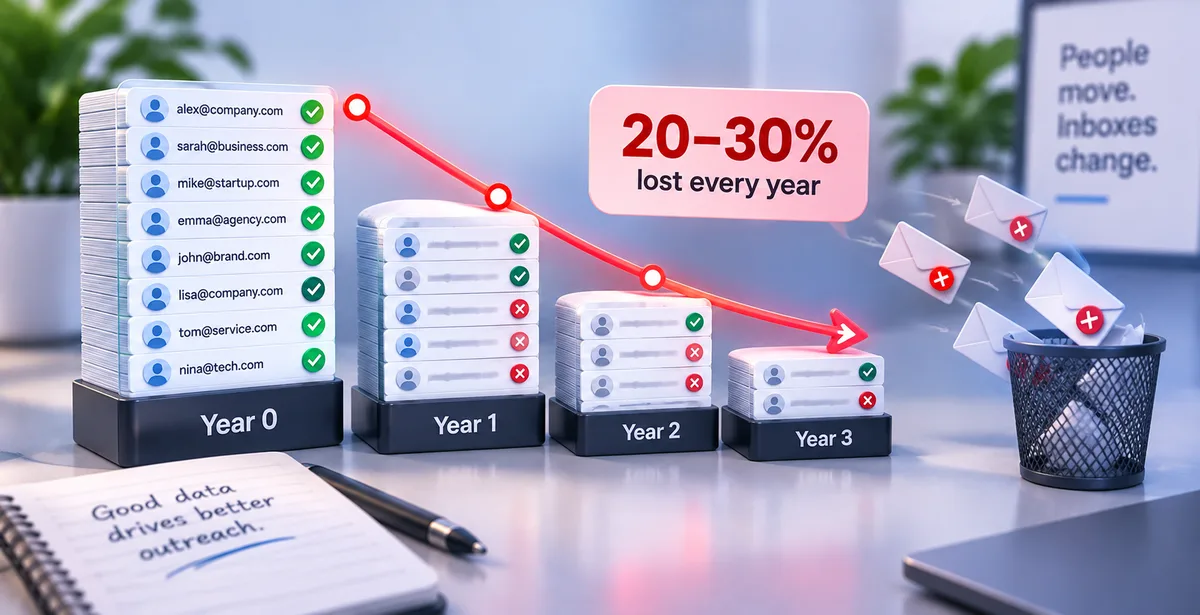
People who study these things across different industries tend to agree on about 20 to 30 percent per year, on average, of decay in most email lists. Lists of B2B contacts, usually, tend to skew a bit higher since people change jobs so often. The rate for consumer lists would typically be a bit lower, but not by much.
Why does this happen so fast?
Think about your own inbox for a second. How many email addresses have you personally walked away from in the last five years? A college id, an old office id from your first job, maybe a temporary one you made to download an ebook. Now multiply that by every person on your list.
A few specific things drive this decline:
People change jobs more often than they used to. In India especially, switching roles every 2-3 years is common in IT, sales, and marketing. Every switch usually means one more dead email sitting in your database.
Free email providers quietly recycle inactive accounts. Some providers reassign or shut down addresses that haven't logged in for a long time. An email that was valid last year can bounce this year, with nothing on your end having changed.
People get tired without ever unsubscribing. This is the part nobody notices in time. Imagine someone subscribes to your newsletter out of interest, they read three emails, and then just stop reading, not out of disdain, but because their life got busy. They don't even click the 'unsubscribe' button. They just stop.
Spam filters get smarter every year. Gmail and Outlook regularly update how they judge which senders to trust. An address that landed in the inbox two years ago might get routed straight to spam today, simply because the provider's rules changed — not because your content did.
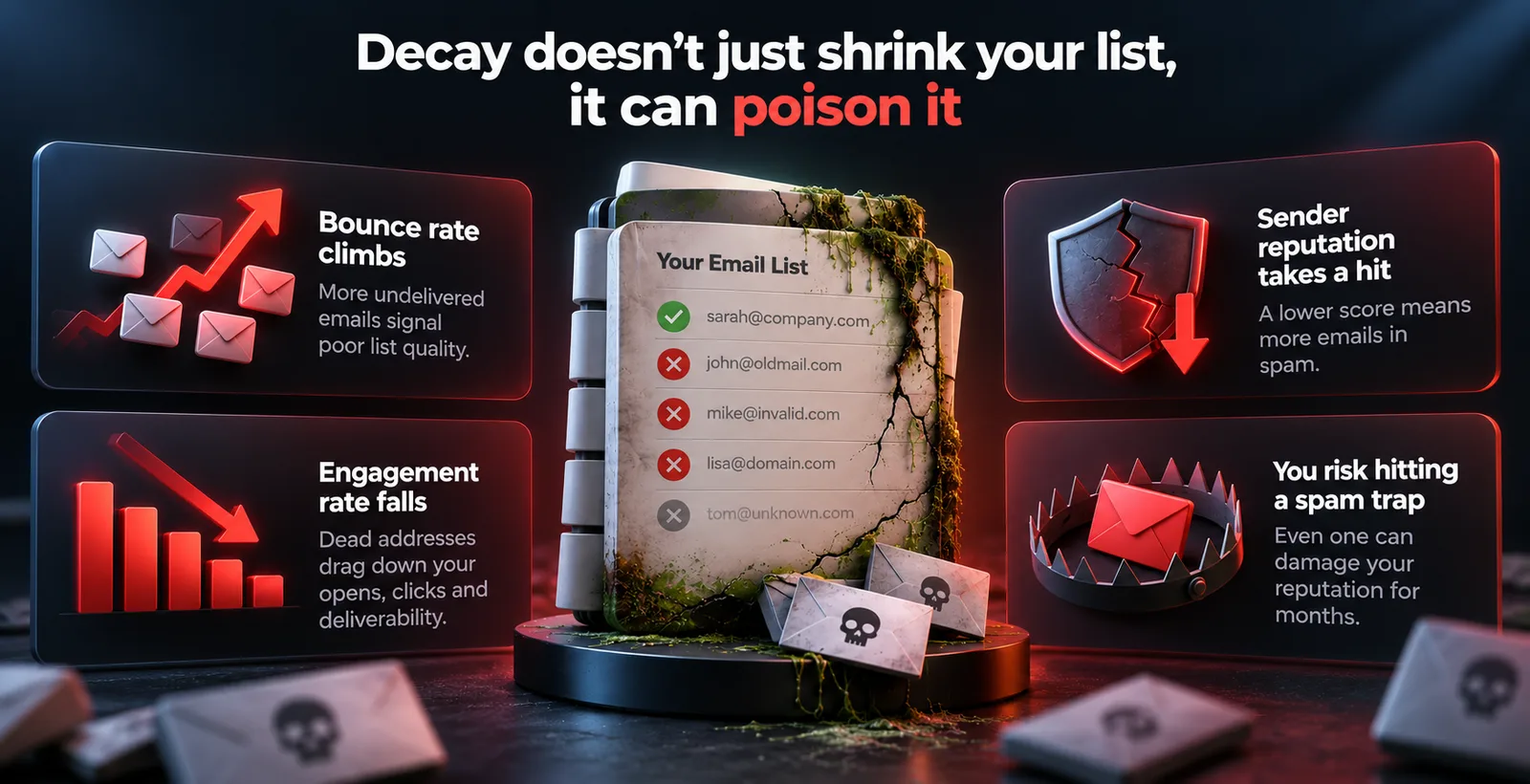
Decay doesn't just shrink your list, it can poison it
A shrinking list is annoying. A dying list is a dangerous one, and the difference isn't always as obvious as it first seems.
When you're continually emailing dead addresses, there are certain events that trigger off in the background:
- Your bounce rate climbs. Bounce means undelivered messages; there are two types of bounced emails: soft and hard. Soft bounces are temporary delivery failures, maybe the recipient’s inbox was full that day. Hard bounces are permanent delivery failures, which happen because the email address is invalid. A high percentage of hard bounces indicates to Gmail and Outlook that either you are not maintaining your subscriber list correctly or using fake email addresses.
- Sender reputation takes a hit. Every domain/IP that sends emails accumulates some sender reputation with inbox providers based on the engagement of the users with those emails. This score isn't visible, but it defines whether your next campaign will get delivered to inboxes or into the spam folder. And once it drops, rebuilding it from the bottom takes a lot of time and effort.
- Engagement rate falls, and everything downstream falls with it. If close to a third of your list is dead weight, your open and click numbers will look weak even if the subscribers who are actually alive genuinely enjoy your content. That weak-looking engagement then signals to email providers that your mail isn't wanted, which lowers deliverability for the very people who would have opened it. One problem quietly creates the next.
- You risk hitting a spam trap. Some of those old, abandoned addresses eventually get converted by inbox providers into spam traps — addresses that exist purely to catch senders who mail people without real permission or clean data. Hitting even one or two of these can hurt your sender reputation badly, sometimes for months.
A quick real-world picture
Imagine a small ed-tech company based out of Pune, India. Suppose this company builds an email list of 50,000 students and parents over the span of three years. Nobody ever cleans this list — there's always something more urgent to do.
By year three, without anyone touching it, roughly 15,000 of those addresses are effectively dead: students who've moved on to new email ids after school, parents who switched jobs, people who never really engaged past the very first email.The company is technically still "sending to 50,000 people" every week, but only 35,000 of those addresses are real, valid, and valuable to the business.
Meanwhile, if even a fraction of those 15,000 invalid addresses bounce violently on a critical mailing (e.g., a course launch), Gmail may permanently distrust any future messages from that domain address. The company doesn't just lose 15,000 useless contacts that day. It risks the deliverability of the emails going to the 35,000 people who actually matter.
How do you know if your list is decaying?
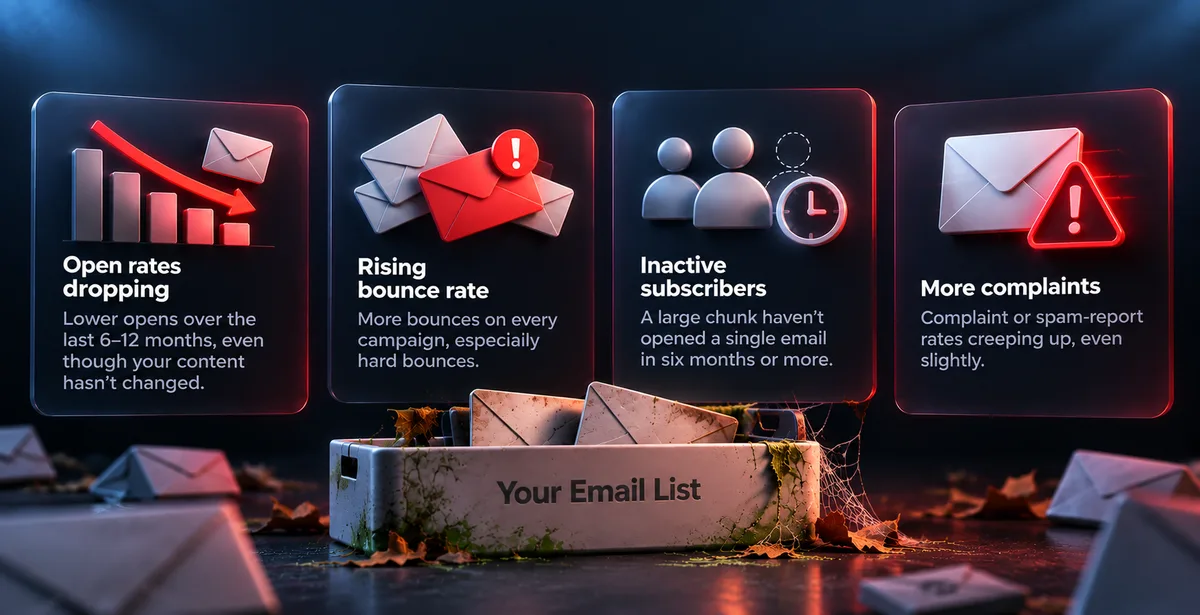
You don't need fancy tools to spot the early signs. Look for:
- Open rates that have been quietly dropping over the last 6-12 months, even though your content hasn't really changed
- A rising bounce rate on every campaign, especially hard bounces
- A large chunk of subscribers who haven't opened a single email in six months or more
- Complaint or spam-report rates creeping up, even slightly, from where they used to sit
If two or more of these are true for your list right now, decay isn't a future risk you need to plan for. It's already happening.
What actually works against list decay
There is no way to prevent decay entirely, since it is an inevitable part of growing a business and having an email list. Just like customers tend to come and go from any given company, email subscribers will do the same. What you can do is manage it so it never quietly costs you deliverability.
Verify your list before every major send, not just once a year.Running your list through a verification check, making sure the domain exists, the mailbox accepts mail, and it isn't a disposable or role based mailbox like info@ or support@, helps you avoid the waste of time and effort of attempting to send to addresses that won't receive it, before you start bouncing reports back.
Build a habit of re-engagement instead of just ignoring silence. Before removing someone who's gone quiet for six months, send one or two emails specifically asking if they still want to hear from you. Some will come back and surprise you. The rest, you can remove with a clear conscience, and your numbers will look healthier for it.
Warm up properly whenever you're sending from a new domain or after a long gap. If you've just cleaned your list and are starting fresh, or set up a new sending domain, don't send to everyone on day one. Gradually increasing your sending volume gives inbox providers time to build trust in you, instead of mistaking a sudden spike for spam behaviour.
Have a sunset policy, and stick to it. Decide on a definition of “inactive” that makes sense for your business (six months? A year? Something else?) and delete or suppress contacts that fit that description rather than keeping them on file — just so your unsubscribed or disengaged user base doesn’t look smaller than it is.
The real takeaway
A list that looks big on paper isn't the same as a list that's actually worth something. Most businesses only discover their list has decayed when a big campaign underperforms and nobody can figure out why - and by then, the damage to sender reputation is already done, taking far longer to repair than the cleaning would have taken in the first place.
Treating your list as something that needs regular upkeep rather than an asset you built and then put in a drawer is the whole difference. Give it a once-over before leaning on it for something important, keep an eye on the addresses that went dark, and exercise just a little more care when it comes to the reputation you've built up over time.
Tools such as Pingovo allow you to check your list ahead of sending, keep tabs on how your sender reputation is doing by analyzing a simple health score, and to properly warm up a domain using realistic sending patterns (vs shooting from the hip). But even without them, the discipline of a healthy list is what protects you. Lists that are clean send more effective emails, and more effective emails build a reputation that makes everything that follows a little less difficult.