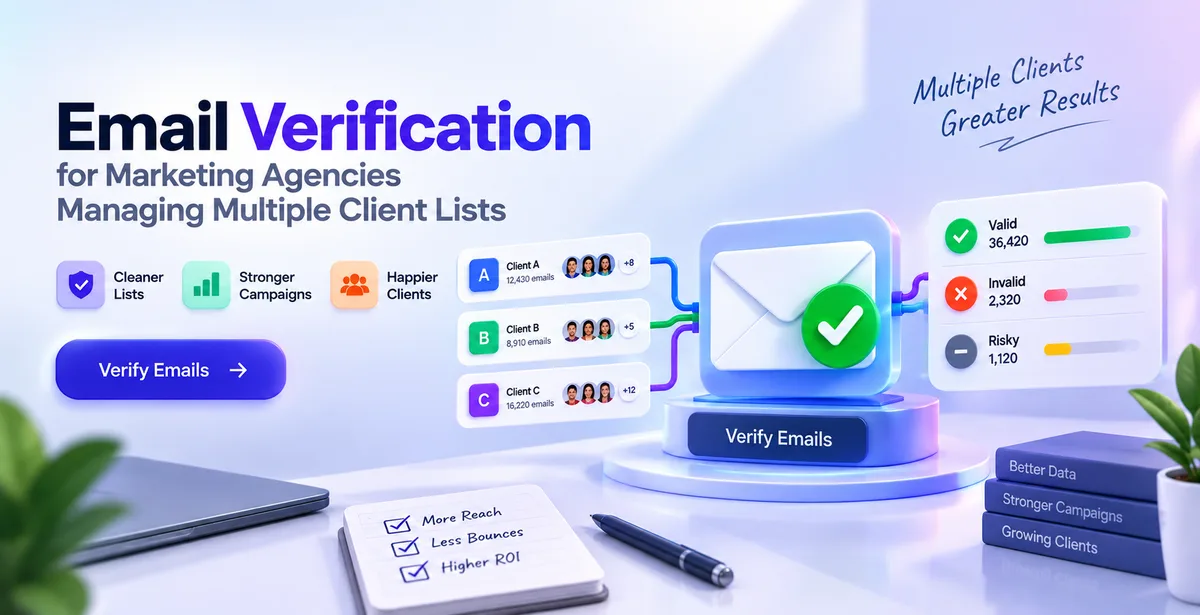
If you run a marketing agency, you are probably not managing one email list. You are managing five, ten, maybe twenty — each belonging to a different client, each with its own history and its own risk hiding inside it.
A freelancer sending out a single newsletter a month can afford to have a disorganized list. An agency sending out campaigns for multiple clients every week cannot. One poorly segmented piece of mail, sent from one address at wrong time, can silently harm every other account you are managing. This is what most agencies learn the hard way.
This post walks through what email verification actually is, why it matters more when you are handling multiple client lists instead of one, and how to build it into your day-to-day workflow without adding hours of extra work.
What Email Verification Actually Means
Email verification is the process of checking whether an email address is real and able to receive mail — before you send anything to it. It does not send a test email. It checks the address the way a mail server would, without delivering a message.
In practice, this happens in a few steps:
- Syntax check – Is the address written correctly? Something like "john@@gmail,com" fails here immediately.
- Domain check (MX/DNS lookup) – Does the domain after the @ symbol actually exist and accept mail? A typo like "gmial.com" gets caught here.
- Mailbox check (SMTP check) – The verification tool connects to the receiving mail server and asks whether that exact mailbox exists. People often call this "pinging" an address. No email is sent — it's just a handshake to confirm the mailbox is live.
- Risk flagging – A good tool also flags addresses that are technically valid but risky to send to, like disposable inboxes, role-based addresses, and catch-all domains, covered below.
At the end, each email gets one clear result: safe, risky, or invalid. That label decides whether an address goes into your next campaign or gets dropped.
Why This Matters More for Agencies Than for a Single Business
A single business sending its own campaigns only has to protect one sender reputation — its own. An agency usually sends for several clients through shared systems, shared IP ranges, or the same platform account.
Email providers like Gmail and Outlook do not judge one campaign in isolation. They judge the sender behind it — the domain, the IP, and the pattern of behaviour over time. If your infrastructure sends one badly-cleaned list this week, it can affect how the next client's perfectly good campaign is treated, simply because it comes from a sender with a recent history of bounces and complaints.
This is the part that catches agencies off guard. You are not just protecting one client's inbox placement. You are protecting the shared reputation every client's campaign depends on.
The Usual Suspects: Types of Bad Emails Hiding in Client Lists
Not every bad email looks obviously fake. Some of the riskiest ones look completely normal on the surface.
Disposable email addresses — Temporary inboxes created just to download a lead magnet, meant to be thrown away in a day. They technically exist, but nobody is reading what you send there.
Role-based addresses — Addresses like info@ or support@ are not tied to one person. They get filtered more often, sit in shared inboxes nobody checks, and can generate more spam complaints since several people share the same inbox.
Catch-all domains — Some company domains accept mail sent to any address, even ones that don't really exist. So "[email protected]" might get accepted even though no such person works there. This is why these need a separate risk flag rather than a simple pass or fail.
Spam traps — Old, abandoned addresses quietly monitored by email providers or anti-spam organisations. Sending to one signals that your list wasn't collected or maintained properly, and it can hurt your reputation badly.
Typos and outdated addresses — A form filled with a typo, or an address that was correct when added but belongs to someone who left the company since.
None of these show up from a glance at a spreadsheet. That's exactly why a proper verification check, not a manual scan, needs to happen before any list goes into a campaign.
One Bad List Can Quietly Damage Every Other Client
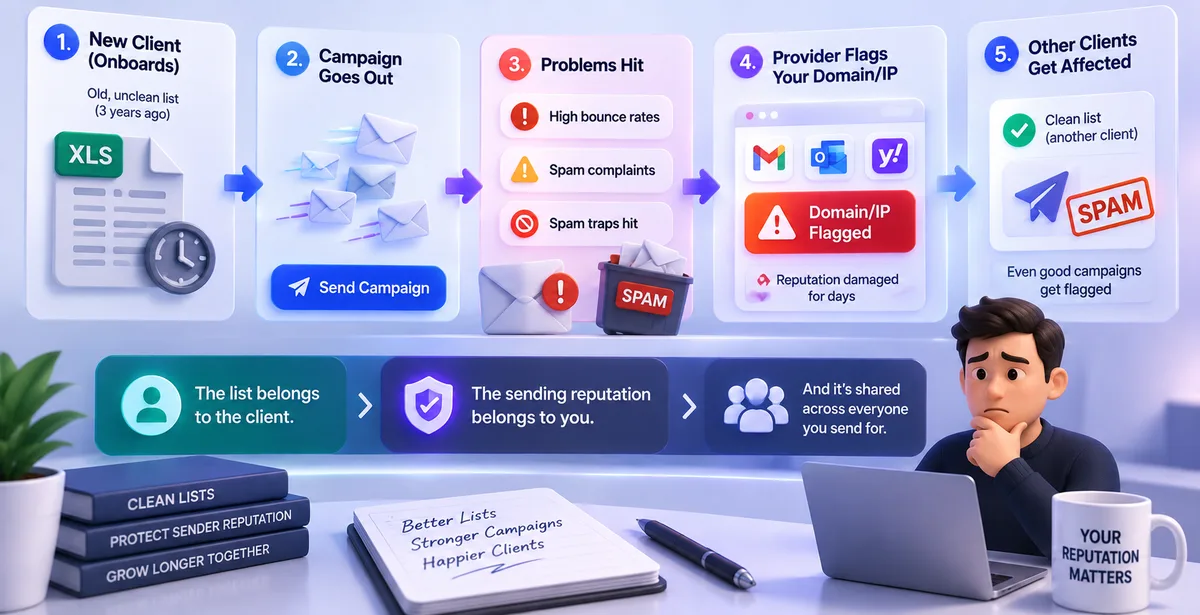
Here's a scenario that plays out more often than agencies would like to admit.
An agency onboards a new client with an old list collected at a trade show three years ago and never cleaned. The campaign goes out. Bounce rates spike, a few spam complaints come in, and a couple of spam traps get hit.
Not only did the email provider flag the campaign you sent, but they are now suspicious of the sending domain/IP address for days to come. A week later, another client's campaign, sent using a clean list, is flagged as spam by the same provider. This happens because the provider has developed a negative perception of your domain/IP address.
This is why "the client gave us the list, it's not really our problem" doesn't hold up for an agency. The list belongs to the client. The sending reputation belongs to you, and it's shared across everyone you send for.
Pair Verification With Warmup
Cleaning a list solves half the problem. The other half is the sending account itself.
Email warmup is the practice of gradually increasing how much mail a new or newly-active mailbox sends, instead of blasting thousands of emails from day one. A brand-new domain has no sending history, and to an email provider, that looks exactly like a spammer's freshly created account — so even a perfectly clean list can land in spam if sent from an account with no track record.
Warmup builds that track record safely, by sending realistic mail into real inboxes that open it, reply to it, and occasionally rescue it from spam if it lands there. Over a few weeks, this builds the engagement signals providers use to decide whether a sender is trustworthy.
For an agency, this matters every time you onboard a client on a new sending domain or subdomain. A clean list sent from a warmed-up sender is the combination that actually gets you into the inbox consistently — either one alone only gets you halfway there.
A Practical Workflow for Multiple Clients
Verification isn't a one-time step you do when a client signs on — lists decay as people change jobs and abandon old inboxes, so a list that was clean six months ago isn't guaranteed to be clean today. Here's a sequence that works once you have more than a couple of client accounts running:
- Collect the client's list and run bulk verification (CSV or Excel works fine), even if the client insists the list is "recent."
- Remove invalid addresses outright. Segment risky ones — disposable, role-based, catch-all — and decide client by client whether to include them.
- If it's a new client domain, start warmup before the first real campaign, not on the same day.
- Send the campaign with per-client sending limits, so one client's volume doesn't overwhelm another's.
- Track opens, clicks, and bounces per client, watching for early signs of reputation trouble.
- Re-verify the list on a schedule, roughly once a quarter, for clients you send to regularly.
Once this becomes routine, it stops feeling like extra work and starts feeling like basic hygiene — the same way you wouldn't skip a spell-check before sending a client a proposal.
What to Look for in a Verification Tool
- Bulk upload that handles real agency volume — thousands of rows without slowing to a crawl, not just a few hundred.
- Clear risk categories, not just valid/invalid — disposable, role-based, and catch-all called out separately, so you can decide how strict to be per client.
- Data handling you'd be comfortable explaining to a client — encryption at rest and in transit, and a policy that data is never sold or shared.
- One workflow instead of four tools — switching between a verifier, a sender, and a separate warmup service means re-uploading the same list repeatedly, which is where mistakes creep in.
- API access — useful if you onboard clients regularly and want verification to run automatically at the point of collection.
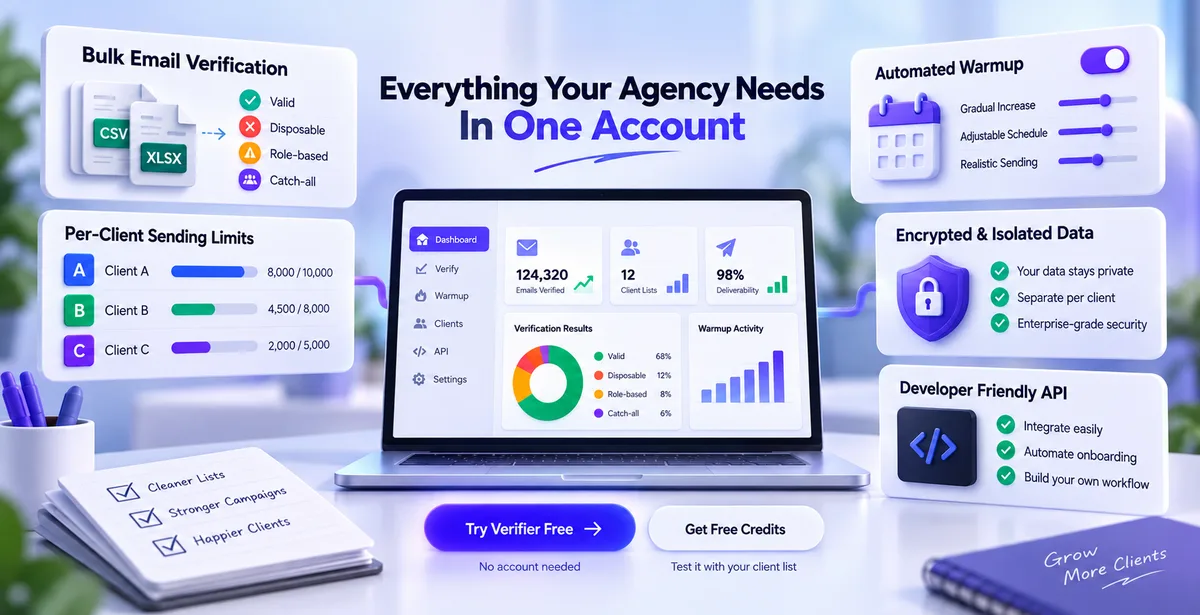
Pingovo brings all of this into one account instead of three separate subscriptions — bulk CSV/Excel verification with disposable, role-based, and catch-all flags, automated warmup with adjustable schedules, per-client sending limits and scheduling, encrypted and isolated data handling, and an API for agencies that want verification built into their own onboarding process. You can try the verifier free on the Pingovo website without creating an account, or sign up for free verification credits to test it against a real client list.
Quick Answers to Common Questions
What is email verification, in simple terms?
A check that confirms an email address is real and able to receive mail, done before you send anything. It looks at the format, the domain, and the specific mailbox, without delivering a message.
Why do agencies need this more than a single business does?
Because an agency's sending reputation is usually shared across clients. A bad list from one client can affect how campaigns for every other client get treated.
How often should a client's list be re-verified?
Before every campaign to a list you haven't touched recently, and on a regular schedule — quarterly is a reasonable default — for clients you send to often.
Is email verification the same as email warmup?
No. Verification checks whether the addresses you're sending to are real. Warmup builds trust for the account you're sending from. You need both.
Can a bad list from one client affect a different client's campaigns?
Yes, if they share sending infrastructure. Providers judge the sender's overall pattern of bounces and complaints, not just one campaign, so damage from one list can spill over.
Managing multiple client lists always involves some juggling. But the risk of one messy list quietly dragging down every other client's results is avoidable — it just needs verification to be a habit built into your workflow, not an afterthought you get to when there's time.