A Costly Lesson in Email Deliverability
Back in 2022 I was responsible for email operations for a rapidly growing B2B SaaS team. As we prepared for the new product launch, every department was trying to find opportunities to generate extra revenue.
During a launch meeting, a team member pulled up an old spreadsheet they had snagged from a 2019 webinar that included some 12,000 contacts.
“Let’s put them on the announcement list,” someone suggested, and I thought that would surely be harmless.
We stitched the files together, ran the campaign. Two hours later, not only had our email open rate tanked to less than 6% (from our typical 35%), our password reset emails had stopped landing in the inboxes of actual paying customers. Our main email-sending domain had been blocklisted by Gmail.
It took us the next three weeks fielding support tickets, warming new IP Addresses and repairing a digital mess that a simple list-checking task could’ve saved. If you do any kind of email marketing, you know the sickening feeling you get when campaign metrics take a nosedive.
Here's what really happens when your emails stop reaching the inbox—and how keeping your email list clean can help you avoid it.
Delivery Rate vs. Deliverability Rate
There's a common email marketing error where teams can often mix these two rates up. But the two terms hold vastly different weight in the mailbox provider ecosystem.
Delivery Rate
This is just a network transaction.Did the receiving server accept a file transfer from your sender server? You can breeze through basic delivery checks even with a messy email list. If an address looks valid, the receiving server will usually accept your email rather than bounce it.
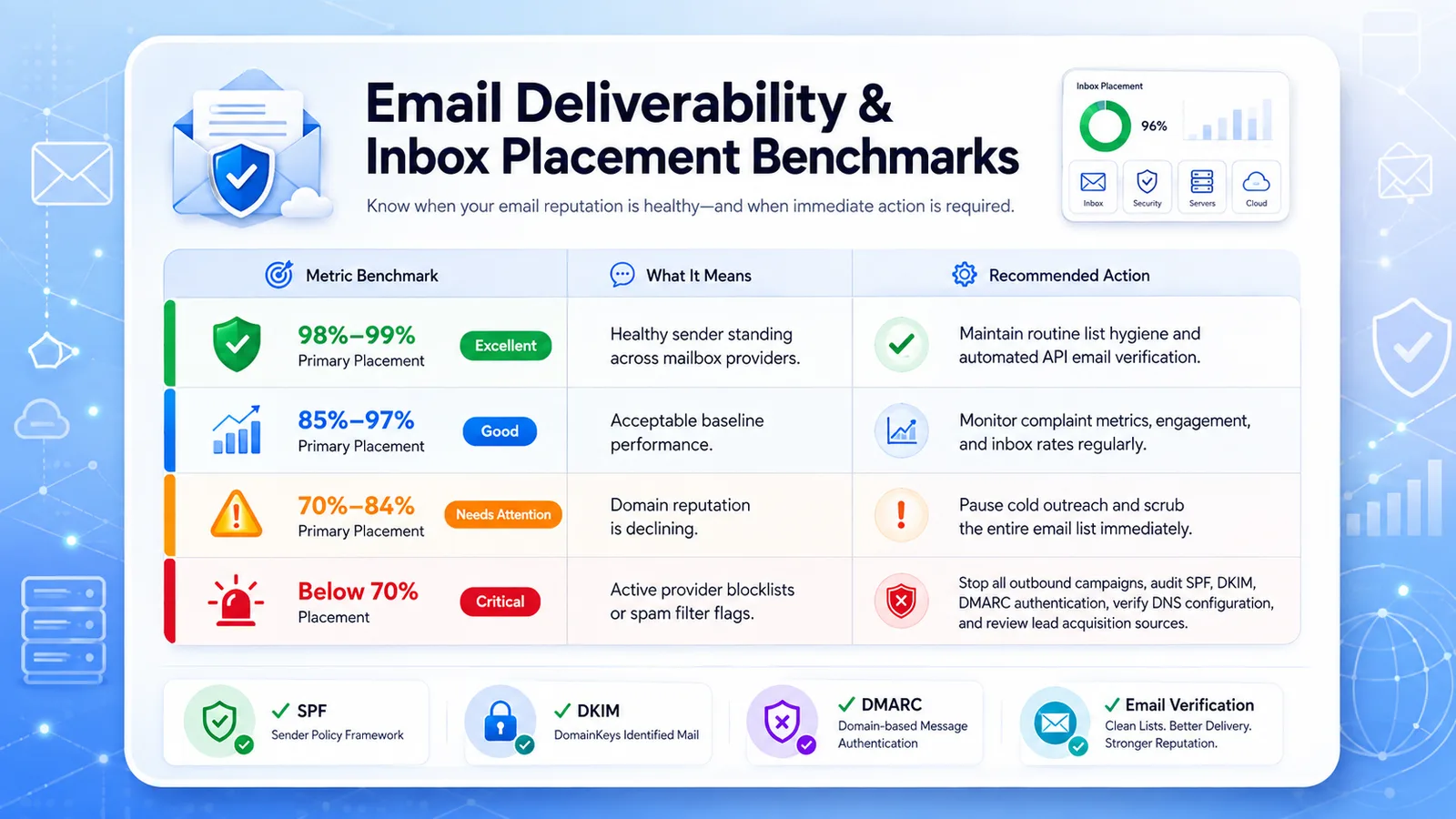
Deliverability Rate (Inbox Placement)
This measures where your email is delivered once the mailbox provider's server accepts it.
Did it go to:
-
The primary inbox?
-
The promotions tab?
-
The spam folder/trash?
Why Unhealthy Lists Go Bad
Your email lists are not digital assets; They decay over time. On average, a given contact list will decay at roughly 2 percent per month. That’s actually over 20 percent off of the database each year!
People change jobs, drop old mail, and close accounts for good. When your emails repeatedly bounce because of invalid addresses, email providers may assume you're using purchased or scraped email lists to grow your database.
The average decay rate of email contacts
-
Average monthly decay: ~2 percent per month
-
Average annual decay: ~20-22% loss overall
For starters: The basic “undeliverable accounts” are only part of the problem.
Beyond static, bounced back accounts, consider:
Typo Addresses
A misspelling on the sign up form for an address.
Example:
-
"yaho.com"
-
"gnail.com"
An easy, but devastating mistake!
Disposable Addresses
The temporary addresses people create, then automatically close within 24 hours of getting a lead magnet. They don’t have any further interaction from you, or can lead to hard bounces.
Role Addresses
The “generic” addresses such as:
-
info
-
contact
-
support
That most businesses now handle, or have routed into many user inboxes. These types are prone to being moved to spam.
Spam Traps
These emails can wreck an online businesses Sender score instantly because "SPAM TRAPS" are domains not being managed by anyone other than a receiving service like Yahoo or Google in order to catch those businesses who don’t verify as well.
Google, Yahoo, and Microsoft Email Guidelines
Many of us sending emails are going above the standard range for a bulk email send; most services categorize over 5,000 messages per 24 hours as a bulk send, with some variations to follow. Google, Yahoo and Microsoft all have strict sending limits.
Below are some of their minimum requirements.
The 0.3% Rule
This number is one you never want to cross.
It’s how your sending domain is measured for spam reports or complaints.
Some will even note a 0.1 percent ideal number.
-
0.1 percent should put you at no more than 1 spam report per 1,000 delivery addresses.
-
0.3 percent may send your reports to junk, 3 in 1,000 delivered addresses.
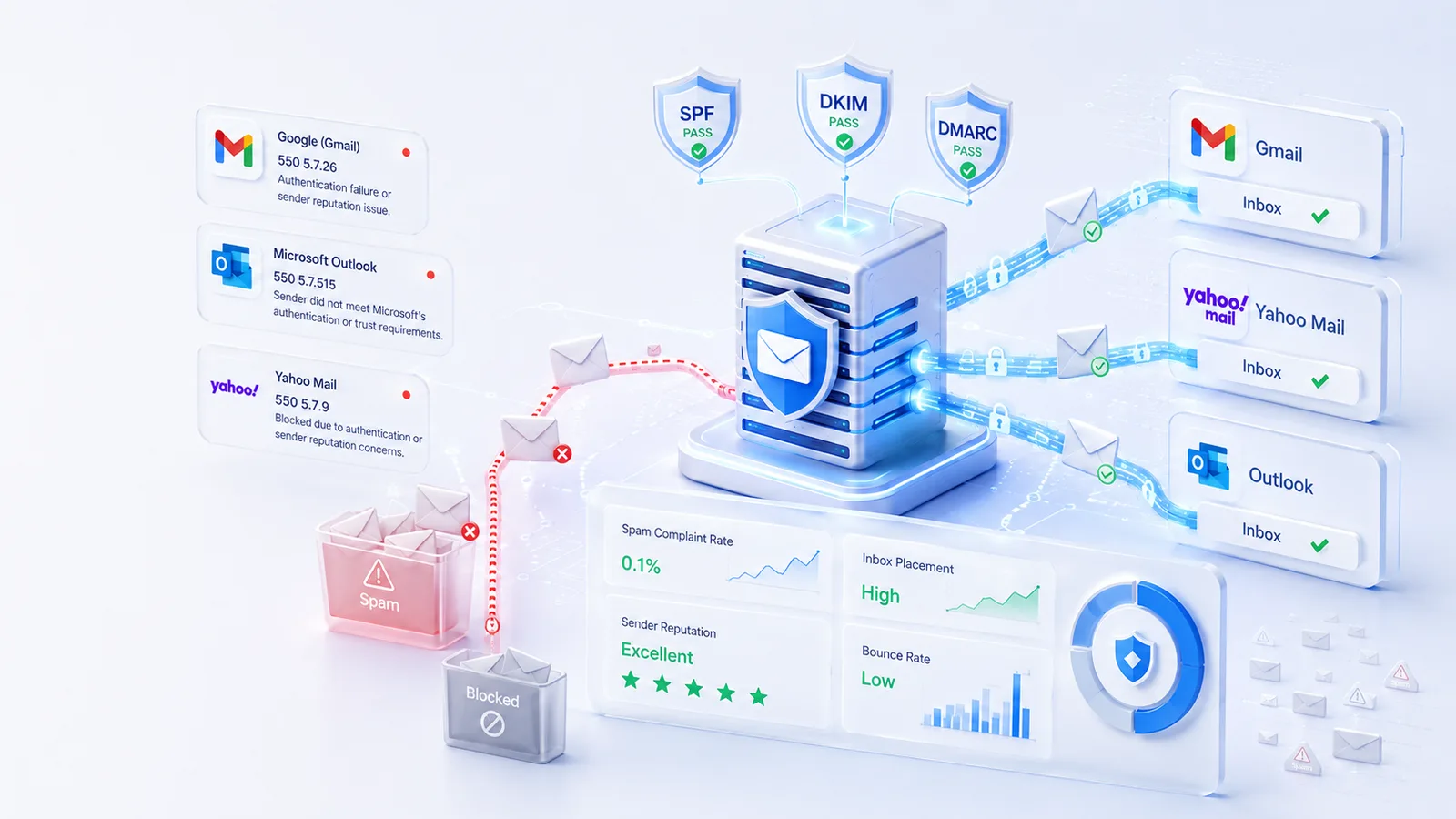
Beyond a .03% spam complaint rate, you may receive permanent rejection errors of 550.
This can cause all messages to be blocked at the gateway.
Here are some typical ones:
Google (Gmail)
550 5.7.26 — Authentication failure or a sender reputation issue.
Microsoft
550 5.7.515 — The message was rejected because the sender did not meet Microsoft's authentication or trust requirements.
Yahoo
550 5.7.9 — The message was blocked due to authentication or sender reputation concerns.
These responses typically occur when mailbox providers detect sending patterns that resemble unauthorized list-building practices, such as using purchased or scraped email lists, or when your authentication and sender reputation do not meet their trust standards.
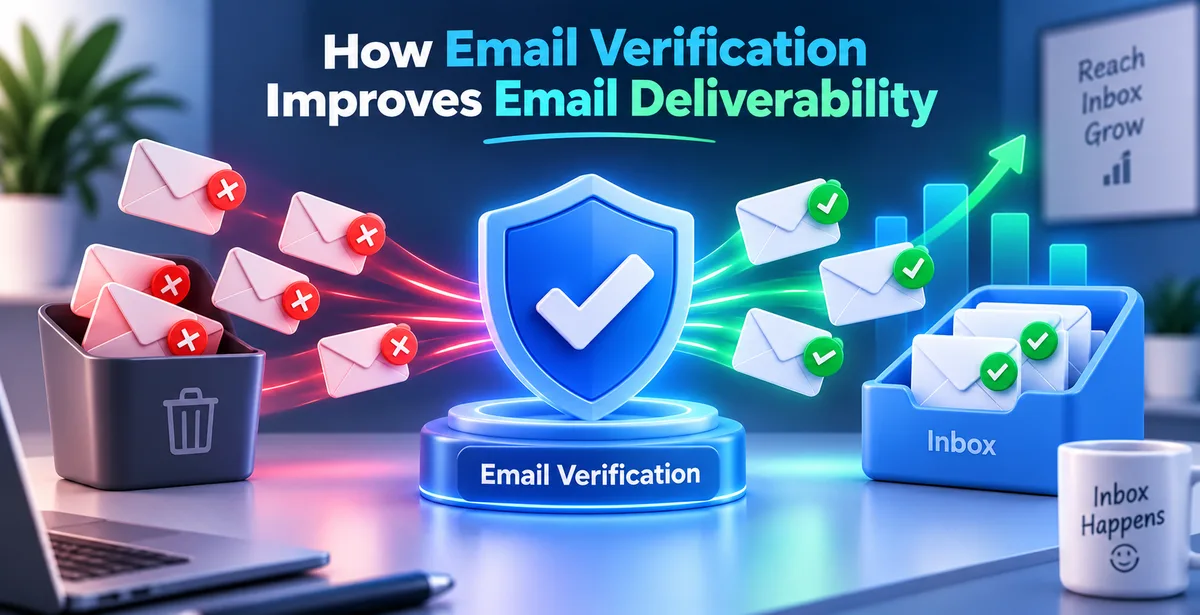
How Email Verification Helps
If email validation can do all that, then how do the tools help clean your list with zero impact on your contact base?
Email validation software like Pingovo can help sort lists with just API checks for their verification, meaning they aren't emailing actual addresses.
How we typically do a basic verification for email lists consists of the two methods we will break out later:
-
Point-of-Capture
-
Bulk Database Cleaning
The Process of Mailbox Verification
-
Syntax check of email address
-
DNS check of email recipient
-
The sender’s ISP asks the verification service for a list of valid Mail Exchange IP addresses and associated sending authorities on a recipient server.
-
We connect to the recipient's mail server and perform a Mailbox Ping and SMTP check to determine whether an email address is likely valid—without ever sending an actual email to the recipient.
-
Risk determination of the email account—catch all’s / spoof etc, on any given list.
Setting Up the Protective Infrastructure
For best results in your domain’s deliverability it takes all sorts of efforts listed below in four areas:
-
Protect at the Point of Entry
-
Perform quarterly bulk lists cleans
-
Support with Authentication
-
Use Automation – Automated Email Sunset Policy
Most businesses need just four main components.
You are just not ready until then.
1. Put an API on All the Sign-Ups and Order Forms
Prevent typos and the bad data from coming in the first place.
2. Run Lists Clean Quarterly
Prevent bounce rates to soar.
Use a verification software that can help catch these issues before they end up in your CRM and sent out.
3. Ensure Authentications
Technical and engineering will need to setup these three main Authentication technologies within their:
-
DKIM
-
SPF
-
DMARC
4. Automated Email Sunset Policies
If a contact does not open emails for six months, that contact should not receive active campaigns.
Instead, have them try to reengage and run campaigns.
If no activity occurs again, then either bounce this contact or put on suppress list to be excluded for sends.
How Much Should You Clean the Email Database?
A business using any part of any four items outlined above may require cleansing 2 times annually, where an organization that might be dealing with huge amounts of sends may opt to conduct its list clean a little bit more, using at least twice a year as a standard practice.Even for the smaller business that may be the one only collecting info via website signup form we suggest cleaning as much as twice per year if possible.If there’s no type of system to protect your data at the point of capture, you can verify each form submission on your site immediately after submission.
What should the bounce rate be in email marketing campaigns?
You should try to maintain a bounce rate of less than 2%. In case your bounce rate increases beyond 3% or 4%, stop all the campaigns and clean the subscriber list before running any campaign.
Can e-mail verification solve the problem of spam traps?
Verifying e-mails helps to spot the majority of known high risk and recycled spam traps. The only traps that cannot be detected are pristine spam traps which are deliberately hidden by security providers.
Final Thoughts
While it might be easy to concentrate on the eye-catching subject lines and the attractive emails, it all comes to naught if the emails land in your recipients' spam folder. Having a healthy mailing list by conducting verification at all times is an important step towards having deliverable emails, rather than a temporary measure to solve issues whenever they come up. With a tool such as Pingovo, you can be able to filter out the invalid, disposable and suspicious email addresses to improve the chances of delivering your emails.