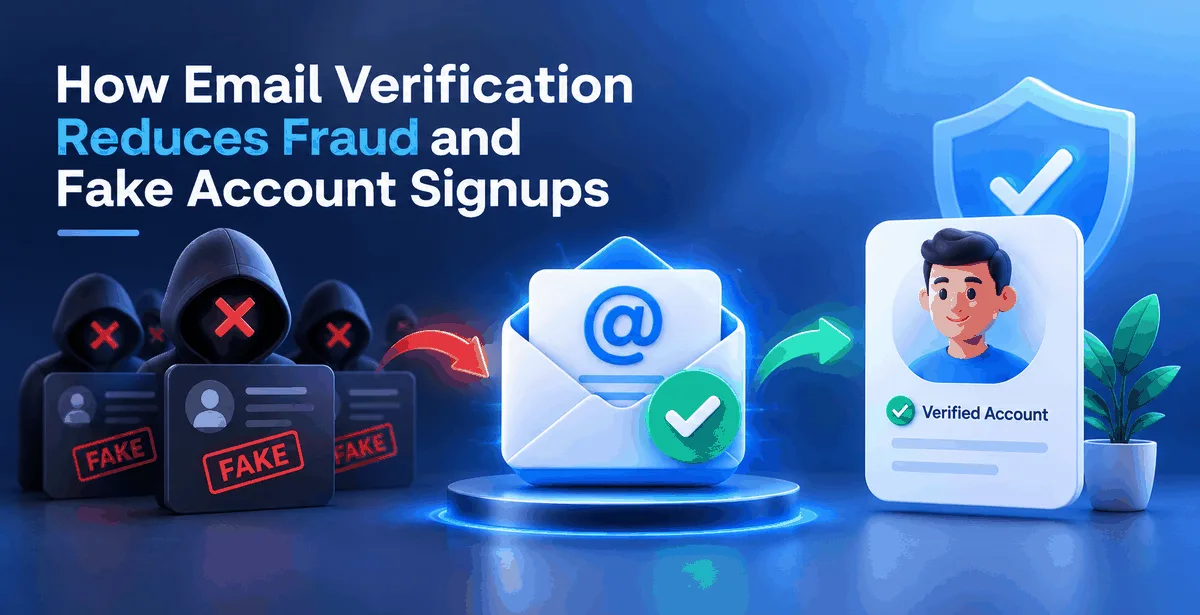
If you run a website that lets people sign up — an app, an online store, a SaaS tool, even a simple newsletter — you have probably noticed something strange in your user list. Accounts that never log in again. Emails that bounce the moment you send a welcome message. Signups that come in bursts of fifty within a minute, all with email addresses that look almost identical. This is not bad luck. It is fake account signups, and it happens to almost every business that collects emails online, from a five-person startup in Bangalore to a large retailer with lakhs of customers.
Email verification is one of the simplest ways to stop this at the source. Before we get into how it works, let's understand what it actually means, because the term gets used loosely.
What Email Verification Actually Means
Email verification is a process of checking if an email address is valid and can actually receive emails without having to send a test message to it. Think of it like checking a phone number first to see if it's active before attempting a call.
This is different from "email validation" in the basic sense, which many people confuse with just checking the format — making sure there's an @ symbol and a dot somewhere. Format checking tells you almost nothing. An address like [email protected] looks perfectly formatted, but it might not exist at all. Real verification goes several steps deeper, which we'll cover shortly.
Why Fake Signups Happen in the First Place
Fake accounts aren't usually created for fun. There's almost always a reason behind them, and understanding the reason helps you see why verification matters.
Some fake signups come from bots — automated scripts that fill out forms thousands of times to claim sign-up bonuses, referral rewards, or free trial credits. If your app gives ₹100 credit for every new referral, a bot can generate hundreds of fake emails and pocket that value without a single real user behind it.
Others come from people testing stolen payment details. Fraudsters, however, create throwaway accounts using disposable emails to make small purchases to verify card details and cancel before you can flag them down. You don’t have any way of catching them in time before a chargeback hits your account.
In addition, typos and general mistakes happen, and people enter their email incorrectly, or, deliberately give fake email addresses to avoid spam. It’s not like they are fraudsters out to ruin your business, but it still pollutes your list and damages your bottom line nonetheless
A Few Terms Worth Understanding
Before going further, here are some words you'll keep running into. Nothing complicated, just plain explanations.
Disposable email address — a temporary inbox from services like Temp Mail or Guerrilla Mail, created specifically to be thrown away after a few minutes. People use these to sign up for something without giving their real email. If a large chunk of your signups come from disposable domains, that's a strong fraud signal.
Role-based email — addresses like info@, support@, or [email protected]. These aren't tied to one person; they go to a shared inbox or sometimes nowhere at all. A real customer signup rarely comes from a role-based address, so seeing a lot of these is unusual.
Catch-all domain — a domain configured to accept mail sent to any address at all, even ones that don't really exist. So [email protected] might get "accepted" by the mail server even though no such person works there. This makes catch-all addresses tricky, because they look valid on the surface but often aren't.
SMTP check — this is the deeper part of verification. SMTP (Simple Mail Transfer Protocol) is the system mail servers use to talk to each other. A verification tool connects to the receiving mail server and asks, in a manner of speaking, "does this specific mailbox exist?" — without actually sending a message. This is sometimes called "pinging" an address, and it's the step that catches most fake or made-up emails.
How Verification Actually Blocks Fraud
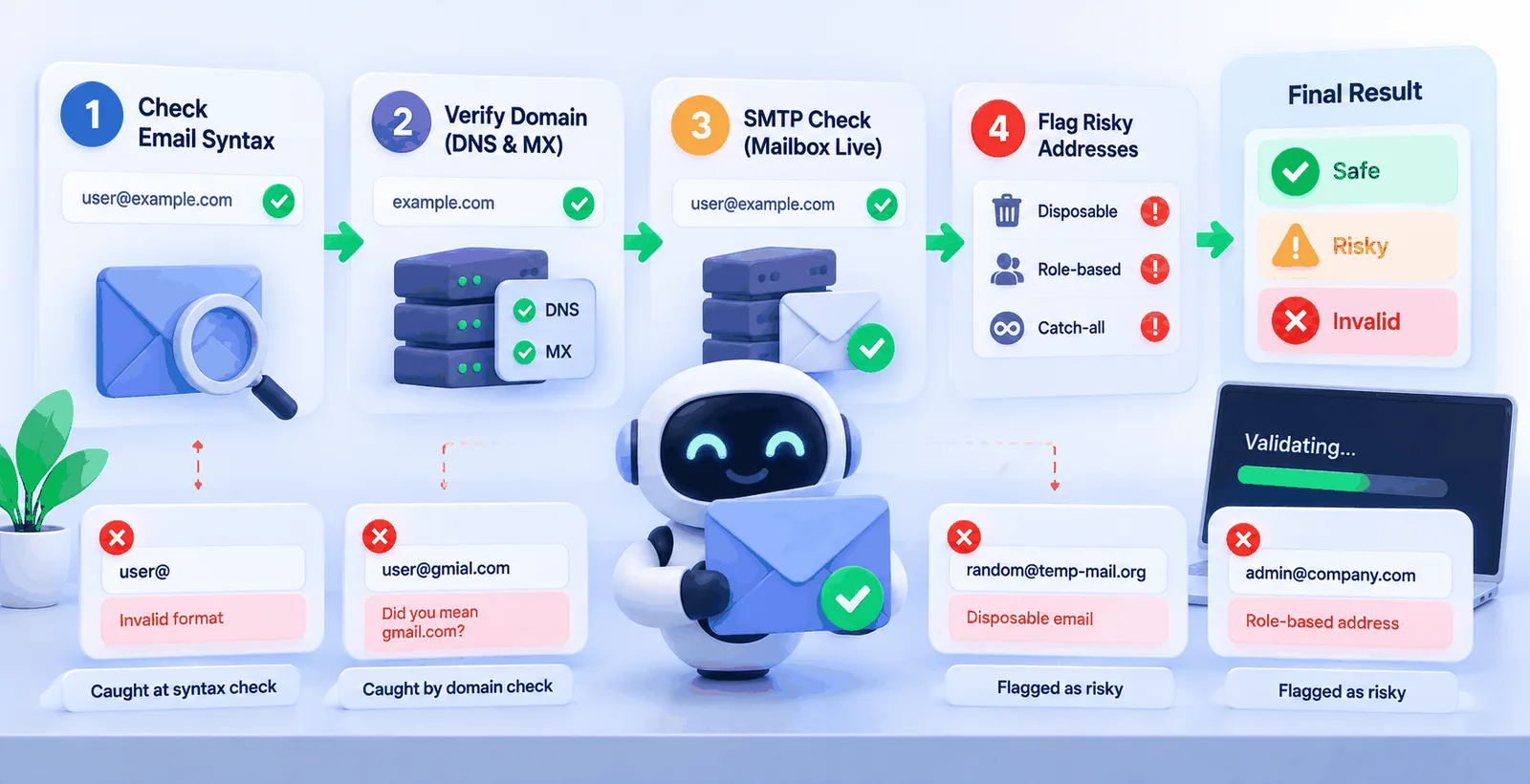
Here's where it comes together. When someone signs up on your website, a good verification system runs the email through several checks, one after another:
First, it checks the syntax — is this even shaped like a real email address. Then it checks whether the domain exists at all through a DNS and MX lookup, confirming that domain can receive mail in the first place. After that comes the SMTP check we just talked about, confirming the specific mailbox is live. Finally, it flags anything disposable, role-based, or coming from a catch-all domain, and gives the whole address a result — safe, risky, or invalid.
A bot generating random addresses gets caught at the SMTP stage almost every time, because the mailboxes simply don't exist. A fraudster using a disposable email gets flagged instantly, because those domains are well known and tracked. Someone typing gmial.com instead of gmail.com gets caught too, and can even be prompted to fix it before submitting the form.
None of this requires sending a test email or waiting for a bounce report days later. It happens in a second or two, right at the moment of signup, before that fake account ever enters your database.
Why This Actually Matters for Your Business
It's easy to think of a fake signup as a harmless, empty row in a spreadsheet. It isn't. Every fake account that gets through costs you something, even if it's small.
If you send an OTP or a welcome SMS on signup, a bot farm hitting your form repeatedly can run up a real messaging bill for numbers or emails that were never going to convert. If you're running a coupon or referral programme, fake accounts drain your budget directly. If you're an ecommerce business, fraudulent orders placed through fake accounts often end up as chargebacks, and repeated chargebacks can get your payment gateway account flagged or restricted.
There's a quieter cost too — your sender reputation. When you eventually send a campaign or a transactional email to a list full of fake and disposable addresses, a lot of it bounces. Mailbox providers like Gmail and Outlook watch your bounce rate closely, and a high one tells them your sending isn't trustworthy. That can push even your genuine emails — order confirmations, password resets, newsletters — into spam. So fake signups don't just waste money now, they quietly damage your ability to reach real customers later.
Verifying at Signup vs Cleaning an Existing List
There are two different moments where verification helps, and businesses often only think about one of them.
The first is real-time verification at the point of signup — checking the email the instant someone submits your form, through an API call, and rejecting or flagging it before the account is even created. This is the strongest fraud prevention, because it stops the problem before it starts.
The second is cleaning an existing list — running your current database of contacts through bulk verification, usually by uploading a CSV or Excel file, and removing the invalid and risky ones before your next campaign. This matters even if you've never had a fraud problem, because email addresses go stale naturally over time. People change jobs, abandon old inboxes, or simply stop checking an account they signed up with two years ago.
Most businesses need both — API verification to stop new fake signups going forward, and a bulk clean-up to deal with whatever has already built up in the list.
The India-Specific Angle
For businesses operating in India, this problem has a few local flavours worth knowing. Coupon and cashback abuse is extremely common on Indian ecommerce and fintech apps, since referral bonuses tend to be generous and easy to farm with fake accounts. Cash-on-delivery orders placed through fake or disposable-email accounts are another headache — the order gets accepted, the delivery attempt fails or gets refused, and the business absorbs the shipping cost both ways. And with OTP-based logins being the default across Indian apps, a bot signing up repeatedly can quietly run up SMS and email costs before anyone notices the pattern.
None of these are unique to India, but they show up here more often simply because of how common referral-driven growth and OTP verification are in the local market.
Getting Started
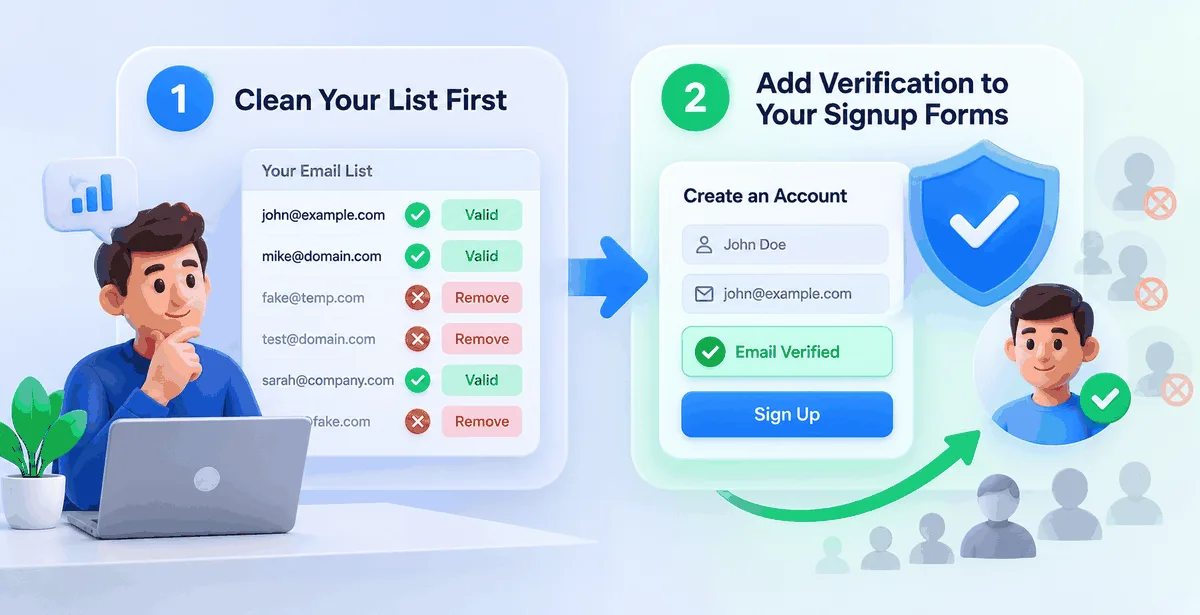
If you're just setting this up for the first time, the practical order is usually to start with cleaning your list first (so that you understand your data before doing anything else) and then to add verification to your signup forms going forward. You want to know the truth about who your "customers" really are. Adding it to the signup form after that stops the problem from returning.
This is exactly what Pingovo is built to handle. You can upload a CSV or Excel contact list for checking. Every email address you provided will be checked for syntax, DNS/MX, SMTP, disposable, role-based, and catch-all addresses. The check result will be clearly marked as safe or risky/invalid. For new signups, the same checks are available through a REST API, so you can verify an email the moment someone submits your form rather than finding out it was fake after you've already sent something to it. Once your list is clean you can utilize Pingovo's warmup function to help boost your sender reputation so that when you actually do send your campaigns they are more likely to make it past spam filters and into the inbox since a clean list sent from a properly warmed account is the best way to ensure inbox delivery.
A Few Quick Answers
Does email verification stop all fraud?
No single check stops everything. But it removes the easiest and most common fraud — bots, disposable emails, and fake accounts — which is a large share of the problem for most businesses.
Will verification slow down my signup form?
A single email check through an API typically takes a second or two, so it doesn't create a noticeable delay for real users.
Is verification the same as sending a confirmation email?
No. A confirmation email asks the user to click a link, which adds friction and still doesn't catch everything, since some fake addresses can receive mail even if no real person reads it. Verification checks the address itself before any email is sent.
How often should an existing list be re-verified?
Every three to six months is a reasonable rule of thumb, since addresses go stale over time even without any fraud involved.
Fake signups will always happen as long as there are sign-up bonuses, free trials, and referral rewards. You can't control that. But don't you think it's worth it to have a proper email verification step right there at sign-up that takes most of that pain away from you?