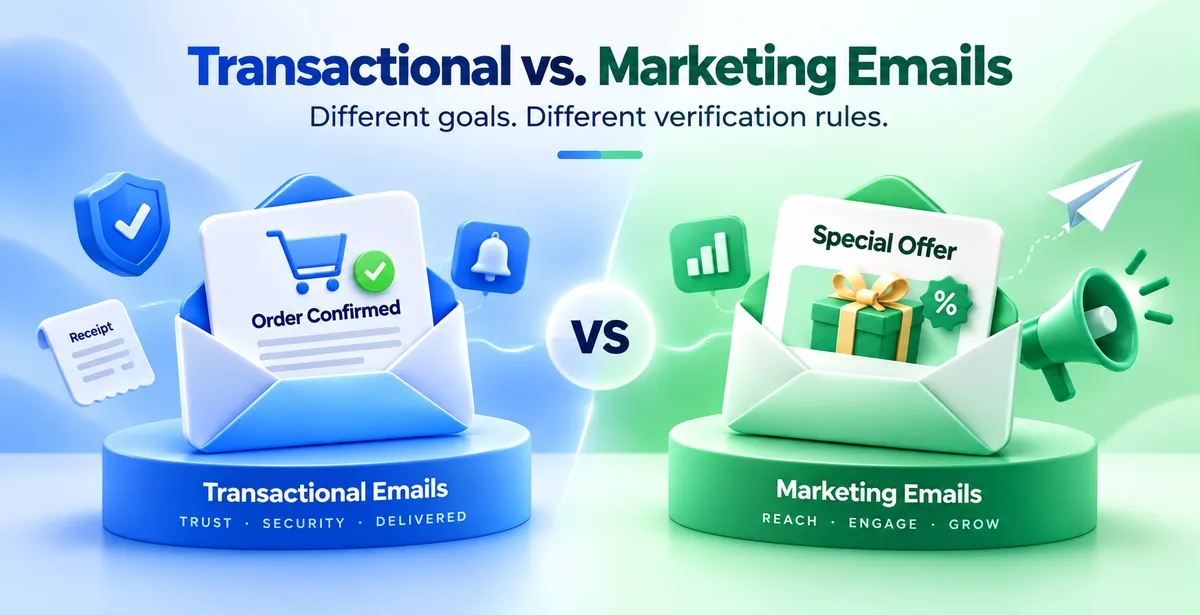
Most businesses treat all their outgoing emails the same way. They buy one verification tool, run every email address through it once, and assume the job is done. This works fine until you notice something odd — your OTP emails are landing but your newsletter open rate is falling, or the other way round. The reason is usually that transactional emails and marketing emails are not the same kind of email. When you check them using the same rules, problems come up for one side or the other.
This blog explains why these two types of email need different verification methods. It also uses examples that make sense if you run a business or manage email for one.
What Is a Transactional Email?
A transactional email is a message triggered by something a specific person just did. You log into a banking app and get an OTP. You place an order on an e-commerce site and get an order confirmation. You reset your password and get a reset link. You pay an electricity bill and get a receipt.
The person expects this email. They took an action, and the email is the direct result of that action. It goes to one person at a time, and it usually needs to arrive within seconds.
What Is a Marketing Email?
A marketing email is sent to promote something — a sale, a new product, a newsletter, a feature update, a festival offer. It goes out to a list of people at once, and while some of them may want it, plenty on the list signed up months or years ago and barely remember your brand.
Nobody performed an action five seconds ago that triggered this email. It's sent on your schedule, not theirs, which changes how strict the checking needs to be before you hit send.
What Email Verification Actually Checks
Before we get into the differences, it helps to know what "verifying an email address" means in practice. A proper verification check usually looks at four things:
- Syntax – is the address written correctly (no missing @ symbol, no stray spaces)
- Domain and MX records – does the domain after the @ actually exist and accept mail
- SMTP check – does the specific mailbox on that domain exist and accept messages (this is the step people often call "pinging" an address)
- Address type – is it a disposable address (temporary, throw-away), a role-based address like info@ or support@, or part of a catch-all domain that accepts mail for any address whether it's real or not
Every serious verification tool runs some version of these checks. The question is not whether to check — it's how aggressively, and at which stage of the process.
The Real Difference Is Timing and Stakes
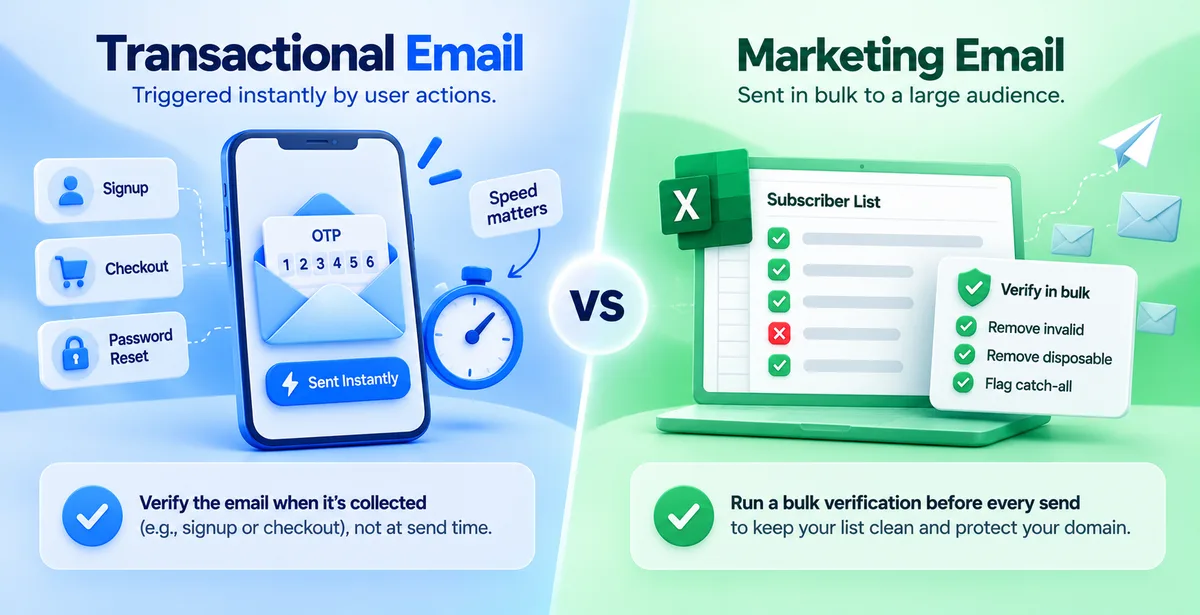
A transactional email is sent the instant something happens. If your OTP takes ten extra seconds because a verification system is doing a slow SMTP handshake, the customer has already refreshed the page twice and called it a scam. The verification for this kind of email needs to happen earlier — at the point where the address was collected, like signup or checkout — not at the moment of sending.
A marketing email, on the other hand, is sent in a batch, often to thousands of addresses collected over a long period. Speed at send time isn't the concern. Accuracy across the whole list is, because one bad address barely matters but ten thousand bad addresses in one campaign will hurt your domain badly.
Why Transactional Verification Needs to Be Fast and Careful, Not Aggressive
Since a transactional email is expected and usually urgent, the goal is to avoid two mistakes: sending to a fake address, and wrongly blocking a real one.
A few things matter here that don't matter as much for marketing mail:
- Verify at the point of collection, not right before sending. When someone signs up on your app or website, check the address in real time through an API call, so a typo gets caught immediately and the user can fix it before it ever becomes a delivery problem.
- Don't over-block role-based addresses. Someone might genuinely want their invoice sent to [email protected]. Blocking that address the way you'd block it for a promotional blast doesn't make sense.
- Treat disposable addresses with more caution than outright rejection, unless you're dealing with fraud signup specifically. A person using a temporary address to sign up for a free trial is common and not always malicious.
The cost of being too strict here is a locked-out customer. The cost of being too loose is a bounced OTP. Both are bad, so the checks need to be precise rather than heavy-handed.
Why Marketing Verification Needs to Be Stricter and Done in Bulk
A marketing list is collected over time — from forms, events, old campaigns, purchased or scraped lists in worse cases. It naturally accumulates dead addresses, old job-change bounces, spam traps, and role-based inboxes that never wanted a sale announcement.
Here, the rules should be stricter:
- Run full bulk verification before every campaign, not just once when the list was built. Addresses go stale — people change jobs, close accounts, or stop checking an old inbox — so a list that was clean six months ago isn't clean today.
- Remove disposable addresses entirely. There's no legitimate reason a marketing subscriber needs a temporary inbox.
- Flag or exclude role-based addresses like info@ or sales@ unless you're specifically doing B2B outreach where that's the norm. These addresses often have multiple people behind them, low engagement, and higher complaint rates.
- Watch catch-all domains carefully. These domains accept mail for any address, so a "valid" result doesn't guarantee a real inbox exists. Treat them as risky rather than safe.
Mailbox providers like Gmail and Outlook judge your entire sending domain based on how your marketing mail performs — bounce rate, spam complaints, how many people open or delete without reading. A messy marketing list doesn't just hurt that one campaign; it can drag down deliverability for every email you send from that domain, transactional included.
What Goes Wrong When You Mix the Rules Up
If you apply marketing-style bulk verification logic to transactional mail, you slow everything down. A customer waiting for a UPI payment OTP doesn't care that your system is doing an SMTP-level check that takes a few extra seconds — they just see a delay and assume something's broken.
If you apply transactional-style light-touch checking to a marketing list, old and risky addresses slip through untouched. You send a festival sale email to five thousand addresses, a portion of them bounce or trigger spam complaints, and your sender reputation takes a hit. A week later, even your OTP emails start landing in spam, because reputation is shared across everything sent from your domain — transactional and marketing alike.
A Practical Way to Set This Up
Here's a simple version of how the two should differ:
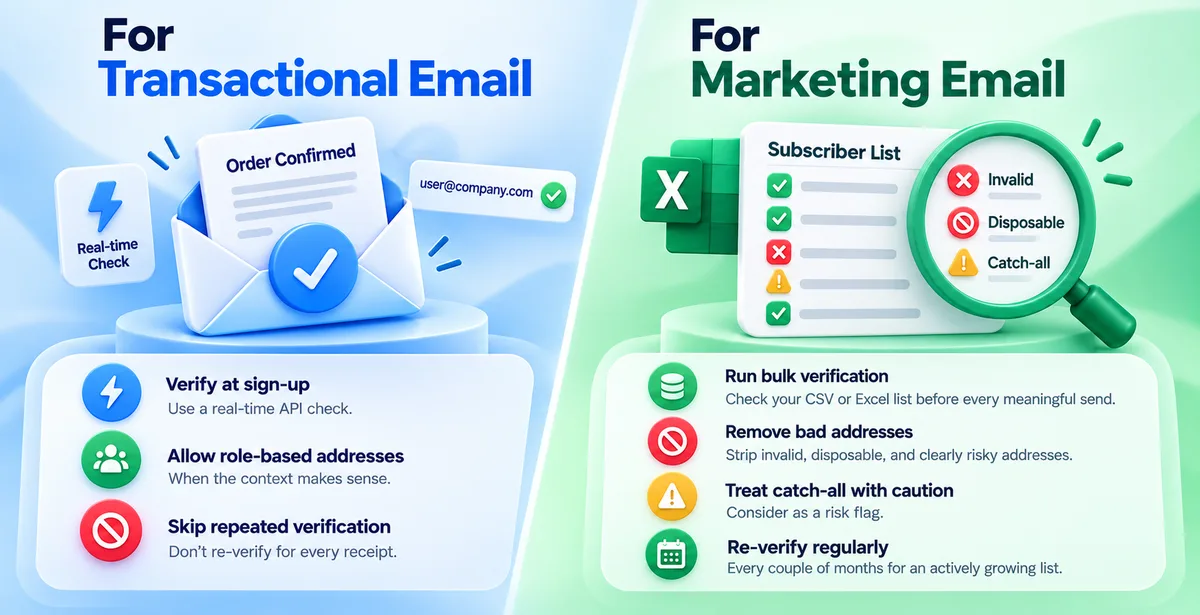
For transactional email: Verify the address the moment it's collected, using a real-time API check. Keep it fast. Allow role-based addresses when the context makes sense. Don't force people through a re-verification step every time you send them a receipt.
For marketing email: Run a bulk verification pass on your CSV or Excel list before every meaningful send. Strip out invalid, disposable, and clearly risky addresses. Treat catch-all results as a caution flag. Re-verify the list on a schedule — every couple of months is reasonable for an actively growing list.
Pingovo's verification setup works along these lines: an API you can call at signup for instant, transactional-style checks, and a separate CSV/Excel upload for cleaning marketing lists before a campaign goes out. In both cases, Pingovo checks for invalid, disposable, role-based, and catch-all addresses. Since sending reputation is shared across a domain, this keeps a messy marketing send from spilling over and affecting your transactional deliverability too.
Quick Answers
Does a transactional email really need verification, since the user just typed it in?
Yes. People mistype their own email address more often than you'd expect — a swapped letter in Gmail, or an old address they've forgotten they stopped using. Verifying at signup catches this before it turns into a support ticket about a missing OTP.
Can I use the same list for both marketing and transactional sending?
Not really, and it's better not to try. Your customer database (used for order confirmations, receipts) and your marketing subscriber list serve different purposes with different consent and different checking needs, even if there's overlap in who's on both.
How often should a marketing list be re-verified?
Every 60 to 90 days for an active list is a reasonable rule of thumb. Faster if you know the list has been sitting unused for a while, since email addresses decay over time as people switch jobs or abandon old inboxes.
Will strict verification slow down my signup form?
A built-in real-time check adds a second at most, and it happens while the user is still filling out the form, not after they've submitted it. That small delay is nothing compared to the cost of an email that bounces later.
The Short Version
Transactional and marketing emails aren't different flavours of the same thing — they're sent for different reasons, to different-sized audiences, on different timelines, and a bounce means something different for each. Verification rules built for one will either slow down the other or leave it exposed. Setting up separate, purpose-built checks for each isn't extra work for its own sake — it's what keeps both your one-on-one mail and your bulk campaigns actually reaching the inbox.